When we talk about tracking mentions on Twitter, we’re not just talking about keeping an eye on your @-replies. True monitoring means digging deeper. It's about actively finding conversations about your brand, your products, and your industry—especially the ones where you aren't tagged directly. This is where the magic happens, opening doors to proactive customer service, smart reputation management, and even lead generation.
Why Tracking Twitter Mentions Is a Game Changer
Here's the thing: people are talking about your brand right now, whether you're listening or not. Simply ignoring those discussions is like leaving money on the table. Think of proactive mention tracking less as a marketing chore and more as a direct line into the minds of your audience. You get unfiltered access to their thoughts, needs, and frustrations.
A single negative tweet from a frustrated customer can snowball into a PR headache if it goes unnoticed. On the flip side, when a customer shares a positive experience and gets radio silence, a valuable opportunity to build a loyal advocate is lost. Being present in these moments is how you take control of your brand's story.
The Real-Time Pulse of Your Market
The sheer scale of Twitter makes this a vital practice. Every single day, people send about 500 million tweets, creating a massive, constantly updating focus group. That’s a firehose of information, and it's especially important when you remember how many consumers turn to social media before making a purchase. Tapping into that stream gives you real-time feedback that traditional methods like surveys just can’t compete with.
For a deeper dive into this, our guide on the advantages of social media monitoring breaks it down even further. You can also see how companies use past data for marketing insights in this detailed analysis by Metricswatch.
The goal isn't just to find mentions; it's to understand the context behind them. Are customers confused about a feature? Are they praising your support team? Is a competitor launching a new campaign? Each mention is a data point that can inform your strategy.
Turning Conversations into Opportunities
Ultimately, tracking what’s being said on Twitter lets you get ahead of the curve instead of just reacting to it. By systematically listening in, you can turn what seems like random chatter into real business results.
At its core, a solid Twitter tracking strategy provides clear, tangible benefits that directly impact your bottom line. It moves your team from a passive to an active role in shaping customer perception and driving growth.
Here’s a quick summary of what you stand to gain:
| Benefit Area | Business Impact |
|---|---|
| Reputation Management | Quickly address negative feedback before it spreads and amplify positive comments to build powerful social proof. |
| Customer Support | Identify and solve customer issues in a public forum, showing potential buyers that you are responsive and helpful. |
| Lead Generation | Discover users asking for recommendations or expressing needs your product can solve, right at their moment of interest. |
| Competitive Analysis | See what customers are saying about your competitors, identifying their weaknesses and your potential advantages. |
By actively engaging with these conversations, you’re not just managing a social media channel; you're building a stronger, more resilient brand.
Mastering Twitter's Built-In Search Tools
Don't rush out to buy expensive software just yet. You might be surprised to learn how much mention-tracking power is already baked into Twitter, completely free. Many brands gloss over the native search features, thinking they're only good for simple keyword lookups. But with a bit of know-how, you can transform Twitter's own tools into a seriously effective monitoring system.
The secret is to go beyond the basic search bar and get familiar with Twitter's Advanced Search. It gives you a straightforward way to build really specific queries without having to memorize a bunch of code-like commands. For anyone just starting out or working with a tight budget, this is the perfect place to begin.
Going Granular with Search Operators
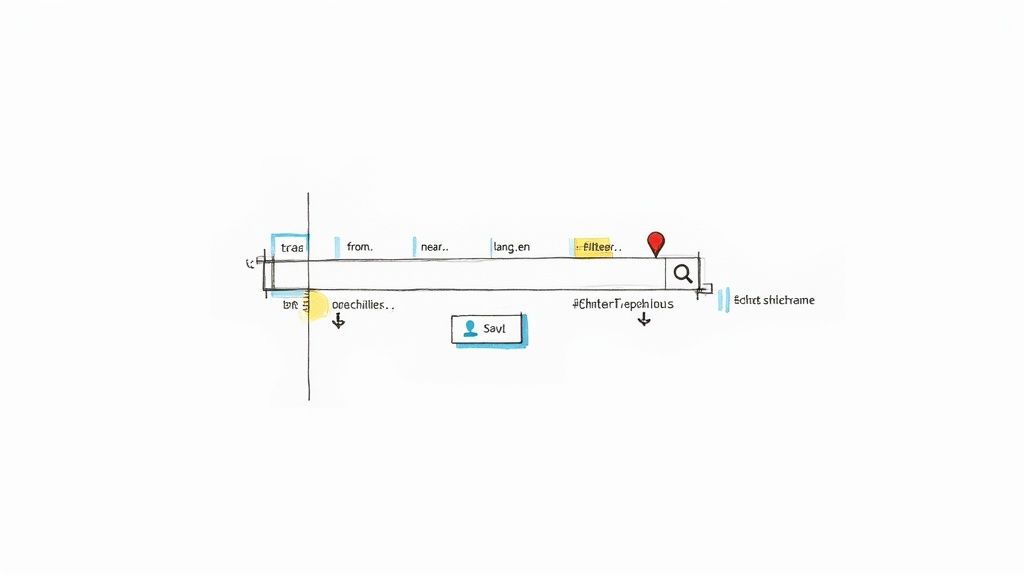
While the Advanced Search page is great for visual learners, learning the actual search operators is what gives you real speed and control. These are just short text commands you can type directly into the search bar to filter your results on the fly. They let you zero in on specific conversations with surgical precision.
I've put together a quick-reference table of the operators I find most useful for day-to-day mention tracking.
Essential Twitter Search Operators for Mention Tracking
| Search Operator | Function | Example Use Case |
|---|---|---|
"Brand Name" |
Searches for the exact phrase. Essential for multi-word names. | "Sunday Roast" to find mentions of your cafe, not just any Sunday roast. |
-from:YourHandle |
Excludes tweets from a specific account. | "Replymer" -from:replymer to find what others are saying about you. |
lang:en |
Filters results to a specific language. | lang:es to isolate feedback from your Spanish-speaking customers. |
filter:images |
Shows only tweets containing images. | "MyBrand" filter:images to find user-generated photos of your product. |
min_retweets:10 |
Finds tweets with at least a certain number of retweets. | min_retweets:10 to see which of your mentions are getting traction. |
near:"City" within:15mi |
Locates tweets sent from a specific geographic area. | near:"Portland" within:5mi to find local customers talking about you. |
Memorizing just a few of these can dramatically cut down on the noise. Start with your brand name in quotes, exclude your own tweets, and then layer on filters like language or location to get to the good stuff.
The real power comes from combining operators. A local coffee shop called "Morning Grind" could use
"Morning Grind" -from:MorningGrindBos lang:en near:"Boston" within:10mito find local customers talking about them, not just generic coffee chatter.
Saving Your Searches for Continuous Monitoring
Finding that perfect combination of operators is a great feeling, but you don't want to retype it every single time you check for mentions. That's where Saved Searches come in—they are an absolute lifesaver for manual tracking.
After you run a search you're happy with, just click the three-dot menu next to the search bar and hit "Save search." It’s that simple.
Once you’ve saved it, that custom query is always available with a single click in the search menu. This little trick turns a one-off search into a permanent monitoring feed. It’s like creating your own little dashboard right inside Twitter.
Here's a practical setup I recommend for getting started:
- Unlinked Brand Mentions: Create a primary search using
"Your Brand"and-from:YourHandle. This is your bread and butter for finding people talking about you, not just to you. - Common Misspellings: Does everyone spell your name wrong? Set up a dedicated saved search for each common variation. You'd be amazed what you find.
- Competitor Watch: Set up separate saved searches for
"Competitor A"and"Competitor B". It’s a low-effort way to keep an eye on their customer feedback and marketing. - Industry Keywords: Think about what your customers are searching for. Save a search for key phrases they might use when they need a solution like yours.
Checking these saved feeds just once or twice a day will keep you in the loop on most of the important conversations. Sure, it requires a bit of manual effort, but it's an incredibly powerful and free foundation for any mention tracking strategy.
Bring in the Bots: Automating Your Monitoring with Third-Party Tools
https://www.youtube.com/embed/_nhLbLokiA4
Let's be honest, Twitter's native search is a great place to start, but it has a ceiling. If you're serious about growth, you'll hit that ceiling fast. Manually hunting for mentions just doesn't scale. Before you know it, you're either missing important conversations or spending your entire day just trying to keep up.
This is where third-party social listening tools become your best friend. They work around the clock, catching every mention in real-time and feeding it to you in a manageable way. Instead of digging for gold, you can focus on what to do with it—engaging with customers, spotting trends, and actually building relationships.
Finding the Right Tool for Your Stage of Growth
The market for these tools is huge, running the gamut from simple notification apps to complex enterprise platforms. The trick is to find one that fits your real-world needs and budget right now, not the one with the flashiest feature list.
If you’re just starting out, a straightforward, alert-based tool is probably all you need. These are typically affordable and do one thing well: they tell you the second someone mentions your brand. This keeps you nimble and responsive without drowning a small team in data.
But as your brand grows, so will your needs. You'll want to move beyond simple alerts and get a deeper understanding of the conversation. This is when you start looking at more comprehensive platforms.
- Sentiment Analysis: Instantly see if a mention is positive, negative, or neutral. This is a game-changer for prioritizing customer support fires.
- Influencer Identification: A tool can automatically flag mentions from accounts with a huge following, helping you focus your energy where it will have the biggest impact.
- Reporting Dashboards: See the big picture. Track mention volume over time, measure sentiment trends, and prove the ROI of your engagement efforts.
For businesses that need a deeper, more automated look at their brand health, there are even AI Brand Tracking solutions that can monitor your reputation across many different channels.
A Practical Framework for Choosing a Tool
Don't get bogged down in endless feature-by-feature comparisons. Start by asking a simple question: What problem am I actually trying to solve by tracking mentions on Twitter? The answer will point you directly to the right kind of tool.
Your goal defines your tool. If you need to provide rapid-fire customer support, you need real-time alerts. If you want to measure brand health, you need sentiment analysis and reporting. Don't pay for features you won't use.
Before you start a single free trial, ask yourself these key questions:
- What’s my main goal? Is it customer service? Lead generation? Spying on my competitors?
- What's my real-world budget? Tools can cost less than $50 a month or run into the thousands.
- How much time can we actually dedicate to this? A fancy, complex dashboard is worthless if no one has the time to look at it.
- Do I need it to play nice with my other tools? Think about integrations with Slack for alerts or your CRM for logging leads.
If you want to see a direct comparison of some of the top contenders, our social listening tools comparison is a great resource to help you sort through the options.
Beyond Data Collection: Engagement at Scale
Ultimately, automation isn't about replacing people. It's about freeing them up to do what they do best: connect with other people. When a tool handles the tedious work of finding and filtering mentions, your team can spend its time crafting thoughtful, authentic replies.
This combination of automation and human touch is what modern social media engagement is all about. The machine ensures nothing important gets missed, while your team provides the personality and empathy that builds real customer loyalty.
Imagine a tool flagging a tweet from someone asking for software recommendations in your niche. Your team gets the alert, swoops in with a helpful (not salesy!) response, and starts a genuine conversation. That’s how you turn a passive monitoring task into a proactive engine for growth. The right tool doesn't replace your team—it gives them superpowers.
Building Custom Solutions with the Twitter API
Sometimes, off-the-shelf tools just don't cut it. You might have a specific workflow, a unique internal tool, or a need for deeper integration that pre-built dashboards can't handle. This is where the Twitter API (now the X API) becomes your secret weapon.
It's not about becoming a developer overnight. It’s about understanding what’s possible so you can have a smart conversation with one. The goal is to pipe the right mentions directly into the platforms your team already lives in—no more juggling extra browser tabs. Imagine a critical mention automatically popping up as a task in Asana, a new entry in your Salesforce CRM, or a data point on your BI dashboard. That’s when monitoring goes from a chore to a seamless, automated part of your business.
Understanding Your API Options
When it comes to pulling data from Twitter, you’ve got two main routes. The one you choose really boils down to how fast you need the information.
Polling the API: This is the most straightforward method. Think of it like your application calling up the Twitter API every five minutes (or every hour, you decide) and asking, "Got anything new for me?" It's reliable and relatively simple to set up, but it's not real-time.
Using Webhooks: This is the instant gratification approach. Instead of your app asking for data, you tell Twitter, "The second a relevant mention happens, push it to this specific URL I’ve set up." It's more complex to implement, but the information arrives the moment it's posted.
For anyone who wants to go deeper into how the platform is engineered, you can find some great insights from Twitter experts and leaders.
The Bottom Line: If you're just tracking mentions for weekly reports, polling is probably fine. But if you’re tackling urgent customer support or managing a fast-moving PR situation, the real-time power of webhooks is essential.
Real-World Custom Workflows
The real magic of the API isn't just getting the data; it's what you do with it. Building custom workflows connects Twitter directly to your business operations, saving time and speeding up your response.
The official Twitter Developer Platform is the starting point, where any developer can explore the tools and documentation needed to build these integrations.
Let's move past the theory. Here’s what this looks like in practice:
Instant Support Triage: A tweet containing keywords like "broken," "can't log in," or "error" could trigger a webhook that instantly creates a high-priority ticket in Zendesk or Jira. The ticket is already populated with the user's tweet and profile link, so your support agent can dive right in.
Enriching CRM Profiles: When a lead or customer in your CRM mentions your brand, the API can log that tweet directly onto their contact record. This gives your sales team a 360-degree view of every interaction, helping them have more relevant and timely conversations.
Automated Slack Alerts: You can set up a dedicated Slack channel, like
#twitter-mentions, where every new mention is piped in real-time. This is perfect for keeping the whole marketing team in the loop. You can even use emoji reactions to assign ownership (👀) or mark a conversation as handled (✅).
Building a custom solution is definitely an investment. But for businesses where Twitter is a core channel for sales, support, or brand reputation, the gains in efficiency and the power of deep integration can deliver a huge return. The key is to map out your ideal process first, then use the API as the glue to make it happen.
Turning Insights into Action and Engagement
Finding mentions is just the first part of the puzzle. The real magic happens when you turn that raw data—that scattered list of conversations—into a well-oiled machine for growth. This is the shift from just listening to actively engaging, learning, and improving.
Let's be honest, the firehose of Twitter can be overwhelming. Without a solid workflow, you'll drown. The goal isn't just to respond faster; it's to respond smarter by focusing your team's energy where it counts the most.
Sifting Through the Noise to Find the Gold
Not all mentions are created equal. A tweet from a top industry journalist needs a very different response than a drive-by comment from a bot. The first, most crucial step is to filter and prioritize what's coming in.
I recommend creating a simple triage system based on a few key factors. This helps your team see at a glance what's a five-alarm fire and what can wait.
- Urgency: Is it a customer support issue that's stopping someone from using your product? Anything with words like "broken," "error," or "can't access" needs to go straight to the top of the pile.
- Sentiment: A really angry tweet can spiral out of control if you ignore it. Prioritizing negative mentions allows you to jump in, de-escalate, and show you're actually listening.
- Influence: A mention from an account with 100,000 followers has a massive blast radius compared to one from an account with 10 followers. Use follower count or an influence score as a key way to sort your queue.
This filtering process is your first line of defense. It protects your brand's reputation and makes sure your most important customers feel heard.
Developing a Smart Response Strategy
Okay, you've got your prioritized list. Now it's time to engage. The trick here is to find the sweet spot between speed and authenticity. A quick response is great, but a robotic, copy-pasted reply can sometimes do more harm than good. People can sniff out a generic template from a mile away.
My advice is to build a set of "response pillars" or flexible templates. Think of these less as rigid scripts and more as guardrails that keep your team's tone consistent while leaving room for a human touch.
Your templates should be a starting point, not a finish line. A decent template gives the core answer to a common question. A great reply adds a personal touch, referencing something specific from the user's original tweet.
For instance, a template for a feature request might be: "Thanks for this suggestion! We've passed it along to our product team." A much better, personalized version would be: "Great idea about integrating a calendar view! I can totally see how that would help with project planning. I've shared this with our product team for their next review." The second one proves you actually read and understood the feedback.
This diagram shows how you can get this data into your workflow, whether it's by checking periodically (polling) or getting instant alerts pushed to your system (webhooks).
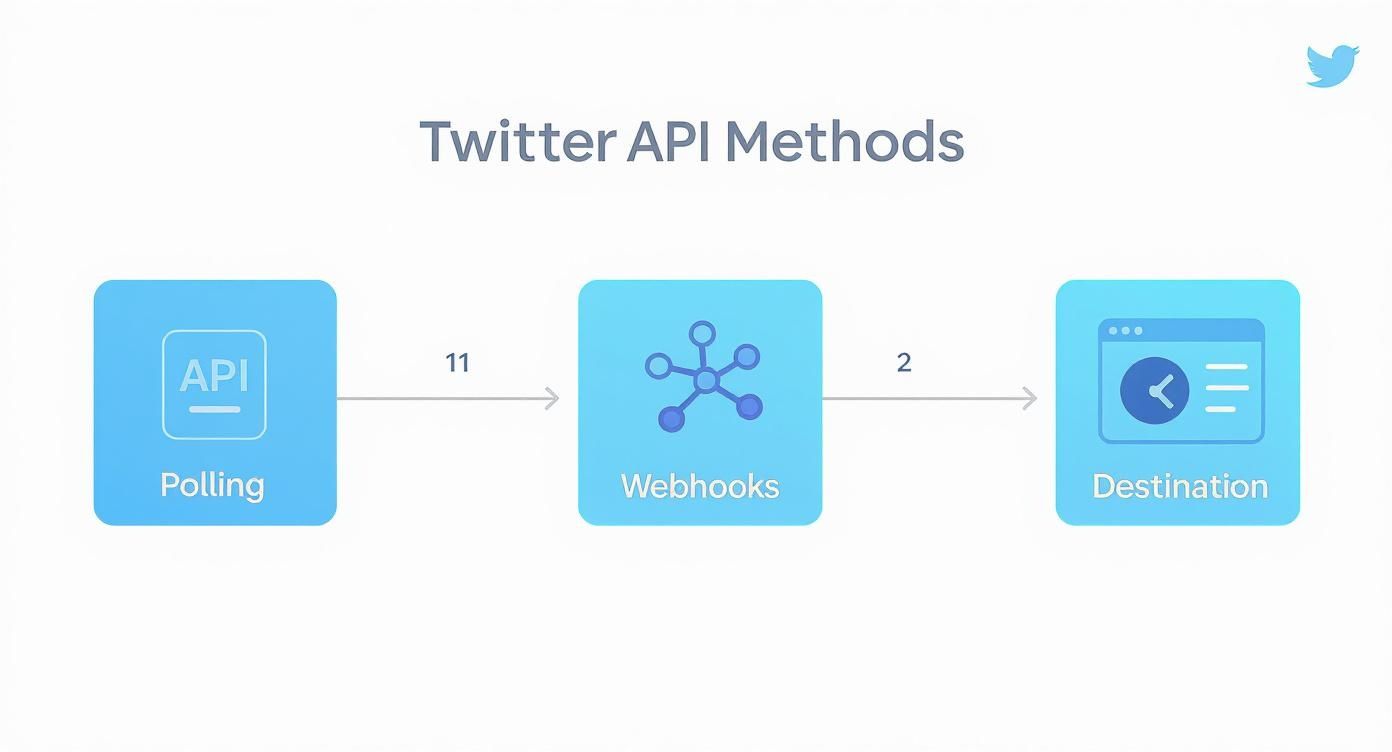
Choosing between these methods comes down to your needs—getting data on a schedule versus having it pushed to you in real-time is a critical decision for any fast-response strategy.
Let Insights Fuel Your Business Growth
The conversations you're tracking are so much more than just engagement opportunities. They're a goldmine of business intelligence. Every single mention is a piece of direct, unfiltered feedback from your market. Don't let it go to waste.
Set up a simple system to categorize the insights you pull from Twitter. This can be as low-tech as a spreadsheet or as integrated as using tags in your social listening tool.
Common Insight Categories
| Category | What It Tells You | How to Use It |
|---|---|---|
| Product Feedback | What features customers love, hate, or wish you had. | Inform your product roadmap and prioritize new feature development. |
| Content Ideas | The questions people are asking and the problems they're trying to solve. | Create blog posts, videos, or FAQ pages that directly address user needs. |
| Competitor Intel | Why customers are switching to or from your competitors. | Refine your marketing messaging and identify your unique advantages. |
| Customer Experience | Common friction points in your onboarding or support process. | Improve your customer journey and reduce churn. |
By regularly reviewing these insights, you transform your Twitter monitoring from a reactive chore into a proactive source of strategic direction. You're creating a feedback loop that helps you build a better product, write more relevant content, and deliver an experience that keeps people coming back. This is how tracking mentions on Twitter becomes a real engine for business growth.
Measuring the ROI of Your Twitter Monitoring
So, you're on top of all your Twitter mentions. That's fantastic, but how do you prove it's actually worth the time and money? When it comes to getting buy-in from leadership, simply reporting on mention volume won't cut it. They need to see a clear line connecting your team's daily engagement to real business results.
It's all about shifting the conversation from "we got 50 mentions this week" to "our engagement on Twitter directly improved customer satisfaction and generated new leads." This isn't just about managing social media; it's about proving its strategic value to the entire company.
From Mentions to Meaningful Metrics
To truly show what your efforts are worth, you have to track KPIs that actually mean something to the business. Think less about raw numbers and more about the impact those numbers represent.
Here are a few powerful metrics to start tracking:
- Customer Support Resolution Time: How fast are you spotting and solving customer problems that pop up on Twitter? Slashing that response time is a direct win for both customer experience and your team's efficiency.
- Brand Sentiment Score: Most good social listening tools can analyze sentiment. Track the percentage of positive, neutral, and negative mentions over time. Seeing that positive sentiment climb is hard proof that you're building a stronger brand reputation.
- Lead Generation from Twitter: This one is huge. How many times has a simple mention turned into a real sales conversation or a demo request? This is the most direct way to tie your Twitter engagement to revenue.
For a deeper dive into connecting these activities to the bottom line, our complete guide on how to calculate marketing ROI is a great resource.
When you start framing your work around outcomes—like faster support and more leads—you change the narrative. Suddenly, Twitter monitoring isn't a cost center; it's a powerful tool for driving revenue and keeping customers happy.
Building a Report That Speaks Volumes
The final piece of the puzzle is presenting your findings in a way that tells a clear, compelling story. Don't just throw a spreadsheet at your boss. Your report should highlight the value you’re creating.
A great report often starts with a quick summary of key wins, then dives into the specifics of your KPIs. For instance, you could show the data on improved sentiment and then pair it with a real-world example, like that time your team masterfully handled a negative tweet and turned an angry customer into a vocal advocate.
This blend of hard data and real stories makes your impact impossible to ignore. It’s how you justify your work and secure the resources you need to keep building an incredible brand presence on Twitter.
Got Questions? We've Got Answers
You've got the playbook for tracking mentions on Twitter, but let's be real—the same tricky questions always pop up. Here are some quick, straightforward answers to the most common head-scratchers I hear from people trying to master this.
How Do I Find Mentions That Don't @ Me?
This is a big one. You're looking for what we call unlinked mentions, and they're often where the most honest feedback lives. People talk about you, not always to you.
The simplest way to catch these is by setting up saved searches right within Twitter’s Advanced Search. Go beyond just your brand name. Think bigger.
- Search for common misspellings of your brand.
- Track your main product names.
- Keep an eye on what people are saying about your CEO or other key figures.
A pro tip: use negative keywords to clean up your search results. Adding -from:yourhandle will filter out all your own tweets, so you're only seeing what other people are saying. It's a small tweak that makes a huge difference.
What's the Real Difference Between Social Listening and Mention Tracking?
I get this question all the time. It's easy to use them interchangeably, but they serve different purposes.
Think of it like this: mention tracking is about collecting the raw ingredients, while social listening is about cooking the meal.
- Mention tracking is the tactical part—the simple act of finding every time your brand is named. It’s your data feed.
- Social listening is the strategic analysis of all that data. It's where you step back to understand the sentiment, spot emerging trends in your industry, and figure out what your competitors are up to.
Tracking is the data; listening is the intelligence. One tells you what was said, the other helps you understand why it matters.
How Often Should I Actually Check for Mentions?
Honestly, there’s no single right answer, but for most brands, real-time alerts are the gold standard. If a customer has a problem, you want to know about it now, not this evening.
If you're still doing things manually, your cadence depends entirely on your volume.
For a smaller brand, checking in the morning and before you sign off for the day might be enough. But if you’re in a fast-moving space or use Twitter for customer support, you need to be more vigilant. I'd recommend checking in every 1-2 hours to stay ahead of crucial conversations and maintain that responsive reputation you've worked hard to build.
Tired of chasing conversations and ready to turn them into actual growth? Replymer acts as your dedicated engagement team. We find the right discussions and write genuine, human replies that build trust and generate demand, all on autopilot. See how we do it at https://replymer.com.