If you want to get a real handle on what people are saying about you on X (formerly Twitter), you need a game plan. Relying on basic notifications just won't cut it. A solid strategy blends the platform's own tools, like Advanced Search, with more powerful third-party services to catch everything—not just the easy-to-find @mentions. This is about shifting from passively seeing notifications to actively listening to the conversation.
Why You Cannot Afford to Ignore Twitter Mentions

Ignoring the chatter on X is like throwing away free market research. Every single mention, whether it tags your @handle or not, is a raw, unfiltered signal straight from your audience. This isn't just a to-do list item for your social media manager; it's a critical source of business intelligence that should inform everything from product development to customer support.
Imagine this: a frustrated user tweets about a bug in your software but forgets to tag your company. A competitor, who is actively monitoring keywords related to your product, spots the tweet and jumps in. They offer a helpful tip and subtly pitch their own service, winning over a new customer simply because they were listening better.
The Strategic Value of Active Listening
When you actively monitor the conversation, you're no longer just reacting to feedback—you're shaping your brand's story in real time. The advantages of social media monitoring are undeniable and have a direct impact on your bottom line.
Here’s what you gain when you get serious about tracking mentions:
- Honest-to-God Product Feedback: People are often most candid when they don't think you're listening. Untagged mentions are a goldmine for unfiltered opinions you can use to make your product better.
- Discover Your True Brand Fans: You can find the people who genuinely love what you do—the ones recommending you without any prompting. Acknowledging them builds incredible loyalty and encourages them to keep spreading the word.
- Real-Time Reputation Management: A single negative tweet can snowball into a full-blown PR crisis. Catching it early gives you the chance to step in, solve the problem, and maybe even turn a disappointed customer into a fan.
It's Not About Vanity Metrics
The sheer volume of conversation on X makes this essential. Users are firing off over 500 million tweets every single day, creating a massive, constantly updated feed of public opinion. While the US leads the pack, the engagement from markets like the UK (5.9 billion), Brazil (4.86 billion), and India (2.45 billion) highlights its global importance for any brand with international reach.
The real magic in tracking Twitter mentions isn't just counting them. It's about understanding the why behind the conversation and what it means for your business.
At the end of the day, this isn't about stroking your ego. It's about turning a firehose of unstructured chatter into a real competitive advantage. It helps you understand what people actually think, spot market trends before they happen, and forge stronger connections with your customers. If you're not listening, you're letting valuable insights—and potential customers—slip right through your fingers.
Mastering Twitter’s Built-In Monitoring Tools
Before you even think about dropping cash on a fancy social media tool, it pays to get really, really good with the powerful features X already gives you for free. Too many people think tracking mentions is just about keeping an eye on their notifications tab. That’s a huge mistake. All you’re catching there are direct @mentions, which is only a tiny piece of the puzzle.
Think about this: a staggering 91% of conversations about brands on X don't actually tag the official account. If you're only watching your notifications, you're missing almost everything. You're flying blind to a massive amount of valuable feedback, customer issues, and potential sales opportunities. The real magic happens when you turn X itself into your own proactive listening station.
Unlocking Advanced Search for Deeper Insights
This is where you graduate from passively waiting for mentions to actively hunting for them. Twitter’s Advanced Search is your secret weapon for finding all those untagged conversations that fly under the radar. It lets you get incredibly specific with what you’re looking for.
Let's say you're a SaaS company called "ZenStack." A simple search for your name is a good start, but Advanced Search lets you uncover potential customers, see what people think of specific features, and even spy on your competition.
Here are a few practical ways to put it to work:
- Find Untagged Brand Mentions: Search for "ZenStack" but also common typos like "Zen Stack" without the @ symbol. This is your baseline.
- Gauge Purchase Intent: Look for phrases like "looking for a ZenStack alternative" or "need a tool that does X," where X is a feature your product nails. These are buying signals.
- Filter by Location: If you're a local business, you can filter conversations to see only tweets from your city. It makes community management so much more effective.
- Analyze Sentiment: Combine "ZenStack" with words like "love," "amazing," or "recommend" to find praise. Do the same with "frustrated," "bug," or "broken" to quickly find unhappy customers who need help.
You don't need to be a search operator wizard to do this. The platform gives you a straightforward form to build these queries out.
This is the clean, simple interface you'll see on the Advanced Search page, with fields for keywords, accounts, dates, and more.
By layering different conditions, you can filter out all the noise and zero in on the conversations that actually matter.
Building a Real-Time Dashboard with X Pro
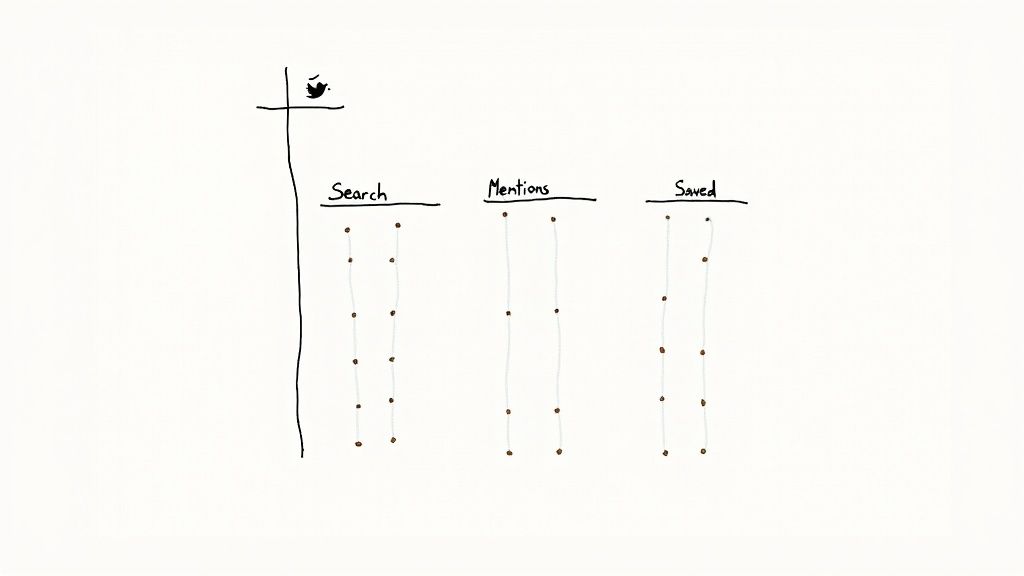
Finding mentions is one thing, but keeping up with them in real-time is the real challenge. That's what X Pro (what we all used to know and love as TweetDeck) is built for. It lets you take those powerful searches and turn them into a live, always-on dashboard.
Think of it as your own social command center. You can create different columns that act as live feeds for any search, account, or list you want. It’s the single best way to bring order to the chaos of the X timeline.
The true power of X Pro is its ability to transform passive searching into active, real-time monitoring. You set up your columns once, and it delivers a constant stream of relevant conversations directly to you.
Getting your dashboard running is simple. A great starting point would be to set up columns for:
- Your @mentions: This is your front line for direct questions and support.
- Untagged Brand Name: Dedicate a column to that Advanced Search query you built for your company name.
- Competitor Watch: Set up a couple of columns for mentions of your top competitors. You'll learn a ton about their customers' pain points and marketing efforts.
- Key Hashtags: If you use a branded hashtag or follow important industry conversations, give them their own feed.
Creating a Simple Monitoring Workflow
Once you have your Advanced Searches locked in and your X Pro dashboard humming, you can build a simple but incredibly effective daily habit.
Start your day by scanning each column. You’re looking for the high-priority stuff: customer questions, negative feedback that needs a fast reply, or praise from influential accounts you can amplify.
This native toolkit gives you a surprisingly solid foundation for monitoring your brand on X without spending a cent. It forces you to really understand the conversations happening around your brand—not just to your brand. Once you've mastered these tools, any money you decide to spend on a third-party platform will be a much smarter and more strategic investment.
Choosing the Right Third-Party Monitoring Platform
So, you've pushed Twitter's native tools to their absolute limit. You're getting the job done, but you know there's more out there. This is the point where investing in a third-party platform goes from a "nice-to-have" to a strategic necessity.
These tools aren't just about finding mentions faster. They're about understanding the story behind those mentions. They help you move from simply reacting to conversations to proactively shaping your brand's narrative based on real data.
What Paid Tools Actually Unlock
Dedicated social listening platforms are built to sift through the noise and pull out what truly matters. They take the mountains of data that would be impossible to analyze manually and present it in a way that’s actually useful. Think of it as upgrading from a simple dashboard to a full-blown intelligence hub.
Here's what you're really paying for:
- Automated Sentiment Analysis: The platform instantly tells you if a mention is positive, negative, or neutral. This is huge for getting a quick pulse on your brand's health and spotting a potential PR fire before it gets out of control.
- Influencer Identification: Forget just looking at follower counts. These tools score users on their real influence—engagement, authority in a niche, and the impact of their voice. This is how you find the right people to partner with.
- Competitive Benchmarking: You can—and should—set up monitoring for your competitors. It's an incredible way to see their share of voice, find out what their customers are complaining about, and learn from their wins and losses.
A dedicated monitoring platform transforms raw data into strategic intelligence. It’s the difference between hearing the noise and understanding the conversation.
Measuring Your Share of Voice
One of the most valuable metrics you'll gain is share of voice. This tells you exactly what percentage of the conversation around your industry or keywords is about your brand compared to your competitors.
For example, let's say there are 1,000 tweets about "project management software" in a week. If 200 of them mention your product, your share of voice is 20%. This single number is a powerful benchmark for tracking brand awareness and seeing if your marketing campaigns are actually making a dent.
Comparing Different Tiers of Tools
Not all monitoring platforms are built the same. They generally fall into a few different tiers, each with its own price tag and feature set. Choosing the right one comes down to your budget, team size, and what you're trying to achieve.
To make an informed choice, a detailed social listening tools comparison is a great place to start, as it can help you weigh the specific options on the market.
Here’s a look at the different methods you can use to stay on top of your brand mentions.
Comparison of Twitter Mention Tracking Methods
This table breaks down the most common approaches, from the free tools X provides to sophisticated paid platforms.
| Method | Cost | Key Features | Best For |
|---|---|---|---|
| Starter/SMB | $50 - $250 / month | Real-time alerts, basic sentiment analysis, limited historical data, keyword tracking for 1-3 brands. | Solopreneurs, small marketing teams, or startups wanting to move beyond native tools and automate basic monitoring. |
| Professional | $250 - $1,000 / month | Advanced sentiment analysis, competitive benchmarking, share of voice reports, influencer identification, basic API access. | Growing businesses, marketing agencies, and teams that need to track multiple brands and generate detailed reports. |
| Enterprise | $1,000+ / month | Full historical data access, custom dashboards, AI-driven insights, trend prediction, integration with CRM and BI tools. | Large corporations, global brands, and data-driven organizations that require deep, customizable business intelligence. |
The main takeaway? Match the tool to your actual needs. There's no sense in paying for enterprise-level features if all you need are real-time alerts. On the flip side, trying to manage a global brand's social presence with a starter tool will leave you with massive blind spots.
Beyond just listening, many of the best social media analytics tools offer powerful reporting and visualization features that can turn your raw data into compelling charts for your next team meeting.
Making the Final Decision
When you're ready to pull the trigger, your decision should come back to one simple question: What problem am I actually trying to solve?
Start there. Are you trying to slash your customer support response times? Are you hunting for unfiltered product feedback? Or are you trying to prove the ROI of your latest marketing campaign?
If it's customer support, you'll want a tool with fantastic real-time alerts and team collaboration features. If it's competitive intelligence, focus on platforms that excel at share of voice reporting. The right platform won't just be another piece of software; it will feel like a core part of your team that helps you make smarter, faster decisions.
How to Filter the Noise and Prioritize Mentions
Let’s be real. Just tracking every single mention of your brand isn't the win. The real skill is knowing which ones actually deserve your time and energy. If your team is constantly buried under a mountain of notifications, you're not gaining insights—you're just heading straight for burnout and letting golden opportunities slip by.
To turn social listening into a real strategic advantage, you absolutely need a system for filtering out the noise and prioritizing what matters.
The goal here isn't to see everything; it's to see the right things at the right time. Think about it: a frustrated customer reporting a bug is infinitely more urgent than someone simply sharing your latest blog post. A shout-out from an industry leader has a far bigger ripple effect than a mention from a brand-new account. The challenge is teaching your tools to spot the difference for you.
Creating Your Prioritization Framework
First things first, you need a game plan. This is a simple framework your team can lean on to sort mentions as they roll in. Luckily, most monitoring tools let you build rules and filters to automate a huge chunk of this work.
I’ve found it’s best to build your framework around three core pillars: urgency, sentiment, and influence.
- Urgency: Is this a fire that needs putting out right now? Think of a customer reporting an outage, asking a critical pre-sale question, or complaining that something is broken. These are your red-alert items.
- Sentiment: What’s the vibe? Negative comments need quick, careful handling to de-escalate the situation. On the flip side, positive mentions are low-hanging fruit for engagement and amplifying good vibes.
- Influence: Who's talking? A mention from an account with a massive, engaged following is always a top priority. Their voice carries serious weight and reach.
This decision tree gives you a quick visual on that first big choice: sticking with free native tools or investing in something more powerful.
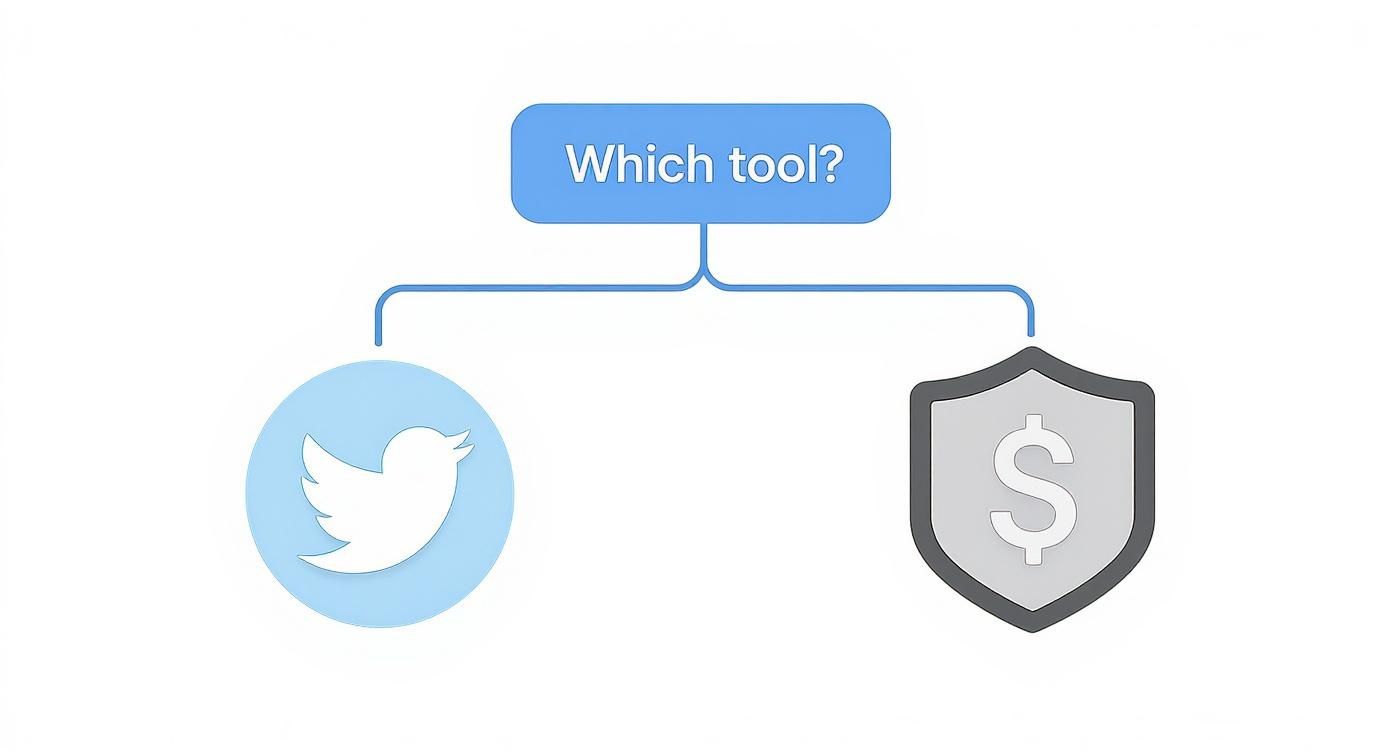
As you can see, your budget is really the deciding factor when choosing between Twitter's built-in options and a dedicated third-party platform.
Setting Up Automated Rules and Filters
With your framework in mind, it's time to put it to work inside your monitoring tool. This is where you get smart and build automated rules that tag or categorize mentions based on keywords, author stats, and more. This is how you make the whole process scalable.
For example, a simple but powerful rule is to automatically flag any tweet containing keywords like "help," "broken," "error," or "can't log in" and tag it as a high-priority support ticket. Just like that, your support team sees it instantly without having to wade through all the general chatter.
Another one I always recommend is filtering by follower count. You could set a rule like: "If a user with over 10,000 followers mentions us, flag it for immediate review." This one simple step ensures you never miss a high-impact conversation that could generate huge visibility—for better or for worse.
The best prioritization systems aren't reactive; they're proactive. By setting up smart filters, you're making sure the most critical conversations automatically rise to the top, letting your team focus their energy where it has the most impact.
Knowing who you're talking to is also a big piece of the puzzle. With adult users aged 18 to 34 making up about 70.8% of X's audience, and 59% of all users checking the platform for news, you know conversations can catch fire in a hurry. These Twitter user statistics really highlight why real-time filtering is so essential for managing your reputation.
Building an Efficient Response Workflow
Okay, your mentions are now being automatically sorted and prioritized. The final piece is creating a clear workflow so your team knows exactly who does what and when. This gets everyone on the same page and ensures every important mention gets the right response from the right person.
A simple prioritization matrix can work wonders here:
| Priority Level | Description | Action |
|---|---|---|
| P1 (Critical) | Direct customer support issues, negative feedback from influential accounts, or potential PR crises. | Respond within 1 hour. Escalate to the appropriate team (support, PR, leadership). |
| P2 (High) | Positive mentions from influential accounts, pre-sale questions, or important industry conversations. | Respond within 4-6 hours. Assign to the social media or marketing team for engagement. |
| P3 (Medium) | General positive feedback, brand advocacy from smaller accounts, or questions about content. | Respond within 24 hours. Acknowledge and thank the user to build community. |
| P4 (Low) | General brand chatter, article shares without commentary, or bot mentions. | No response needed. Monitor for trends but don't engage directly. |
A structured approach like this one completely removes the guesswork. It empowers your team to act with confidence, knowing they're putting their effort into the conversations that truly move the needle. When you combine smart, automated filtering with a clear human workflow, no critical mention will ever fall through the cracks again.
Turning Raw Data into Actionable Business Insights
So, you've got a stream of mentions coming in. That's a great start, but it's just raw material. The real magic happens when you turn that noise into signals that can guide your business. Honestly, just counting mentions is a vanity game. The goal is to understand the story behind the numbers.
This is where you shift from simply managing social media to gathering real business intelligence. It’s about connecting the dots between what people are saying on X and your actual business goals. Without that link, you’re just hoarding data. With it, you create a powerful feedback loop that can shape everything from product development to your marketing messages.
Measuring What Actually Matters
First things first, let's look past the vanity metrics. Follower counts are nice, but they don't tell you much. We need to dig into the data that shows genuine engagement and reveals how people truly feel about your brand. These are the numbers that explain not just that people are talking, but how they're talking and what it means for you.
A good measurement framework needs a healthy mix of both hard numbers and the softer, qualitative stuff.
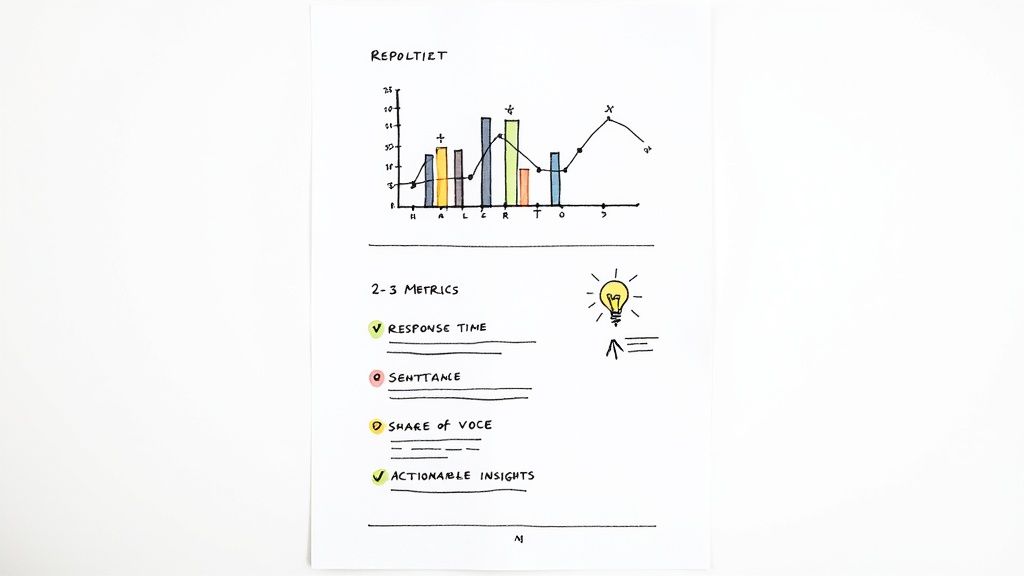
- Sentiment Trends: Is the overall vibe around your brand getting better or worse? A sudden nosedive in positive sentiment is often the first red flag for a product bug or a campaign that just isn't landing right.
- Average Response Time: How fast are you getting back to people? On a platform that moves as quickly as X, a quick, helpful reply can flip a bad experience into a great one.
- Share of Voice (SOV): How much of the conversation in your industry is about you compared to your competitors? Tracking SOV is a brilliant way to see if your brand awareness efforts are actually paying off.
These metrics give you context. They paint a much richer picture than a simple mention count ever could and show you where to put your energy for the biggest return.
Connecting Mentions to Business Outcomes
This is the most critical part: drawing a straight line from your social listening to real business objectives. When you can walk into a meeting and show exactly how tracking X mentions improved customer satisfaction scores or sparked a new product feature, you’ve proven the ROI of your work.
Think about it. Let's say you keep seeing negative mentions pop up about a clunky feature in your software. You can collect and quantify this feedback and take it directly to the product team. This isn't just an opinion; it's user-generated evidence that something needs to change. When they update the feature and you can show a corresponding lift in sentiment, that's a clear, undeniable win.
The most powerful insights come from linking conversation trends directly to business results. This transforms social listening from a cost center into a value-driving function that informs strategy across the entire organization.
It works for sales, too. Imagine tracking mentions from people looking for alternatives to a competitor. Those are warm leads, served up on a silver platter. Tracking how many of those conversations turn into actual customers gives you a hard, measurable return on your monitoring efforts.
Building an Effective Monitoring Report
To get buy-in from the rest of the company, you need to tell a clear story with your data. A spreadsheet full of raw numbers will just make people's eyes glaze over. Your report should be visual, concise, and focused on the key takeaways.
A solid report usually breaks down like this:
- An Executive Summary: Start with the punchline. What are the key findings, major trends, and what should we do next? Keep it brief.
- Key Metric Performance: Use simple charts to show trends for sentiment, response time, and share of voice. Showing a comparison to the last period is a great way to highlight progress.
- Qualitative Highlights: Pull out a few specific examples of great (or terrible) mentions. Explain what happened and how the team handled it. This puts a human face on the data.
- Actionable Recommendations: Based on everything you've seen, what's the plan? This is where you turn insight into action.
Presenting your data this way makes it easy for anyone to grasp the strategic value of what you're doing. If you want to get more advanced, building out a social media analytics dashboard can give everyone a single source of truth for all your key metrics.
Have Questions About Tracking Twitter Mentions?
Even with a solid plan, a few common questions always pop up once you start getting serious about tracking mentions on X. Let's tackle some of the most frequent sticking points so you can monitor conversations like a pro.
Can I Track Mentions If My Handle Isn't Tagged?
Yes, and you absolutely should. This is the core idea behind what’s known as tracking "untagged mentions," and it’s a game-changer. Standard notifications only alert you when someone uses your specific @handle, but that's just the tip of the iceberg.
People talk about brands, products, and services all the time using plain text, without the "@" symbol. To catch these conversations, you have to actively search for your brand name, common misspellings, or product names. You can do this with X's own Advanced Search or a more powerful third-party tool. If you ignore untagged mentions, you're missing out on a massive amount of honest, unfiltered feedback.
What’s the Best Free Tool to Track Twitter Mentions?
For a zero-cost option that’s surprisingly robust, your best bet is to pair two of X’s native features: Advanced Search and X Pro (what we all used to call TweetDeck). Used together, they create a fantastic real-time monitoring system without costing a penny.
Start by using Advanced Search to craft hyper-specific search queries. You can filter for untagged mentions, conversations happening in a certain language, or even questions people are asking about your competitors. Once you nail the search, save it. Then, you can add that saved search as a dedicated, auto-refreshing column in your X Pro dashboard. Just like that, you've built a free, always-on listening station.
The combination of Advanced Search for precision and X Pro for real-time monitoring is the single most effective free method for tracking the conversations that matter to your brand.
How Should My Business Respond to Negative Mentions?
Handling negative feedback is all about having a calm, strategic game plan. The real goal isn't just to solve one problem; it's to de-escalate the situation and show everyone watching that you genuinely care.
Here’s a simple but effective workflow:
- Act Fast: A quick response shows you're paying attention.
- Acknowledge and Empathize: Start by publicly acknowledging their frustration. A simple, "I'm sorry to hear you're running into this issue," can make a world of difference.
- Take it Private: Offer to sort out the specifics in a Direct Message. This gets the detailed back-and-forth out of the public eye.
- Learn From It: Take that feedback back to your team. Use it to fix the underlying issue so it doesn't happen again.
A professional and empathetic response can often turn a critic into a fan and showcases great customer service to anyone who sees the interaction.
Stop chasing mentions manually and let the experts handle it. Replymer monitors conversations 24/7 and crafts authentic, human-written replies to recommend your product at the perfect moment. See how we turn social listening into measurable growth by visiting https://replymer.com.