Google Alerts was a game-changer for free keyword monitoring. It's simple, free, and sends alerts straight to your inbox. But for teams that rely on timely, comprehensive data for growth, its limitations are becoming harder to ignore. Missed mentions, a lack of deep social media coverage, and inconsistent delivery can mean overlooking critical conversations, competitor moves, or PR opportunities. For SaaS startups and marketing teams, real-time awareness is a competitive advantage.
This guide breaks down 12 powerful Google Alerts alternative tools, from simple free options to sophisticated platforms. We'll help you find the perfect fit for your monitoring needs, whether you're tracking brand mentions, industry trends, or sales opportunities on platforms like Reddit and LinkedIn. To truly gauge your brand's impact and effectively benchmark against competitors, you need more robust metrics that go beyond simple mentions, such as those covered in this resource on understanding your brand's share of voice: A Practical Guide to Share of Voice Measurement.
Each review includes screenshots, direct links, and a clear breakdown of pricing, features, and best-fit use cases. We'll explore everything from social listening and sentiment analysis to advanced web page change detection, giving you the information you need to move beyond basic alerts and start leveraging real-time intelligence.
1. Replymer
Replymer stands out as more than just a monitoring tool; it's a fully managed growth service that turns brand and keyword mentions into active conversations. Positioned as a premier Google Alerts alternative, it moves beyond simple notifications by deploying a team of real human writers to engage with relevant discussions on Reddit, X (Twitter), and LinkedIn. This "done-for-you" model is designed for teams that need to generate authentic social engagement and qualified inbound interest without the significant time investment required for manual monitoring and outreach.
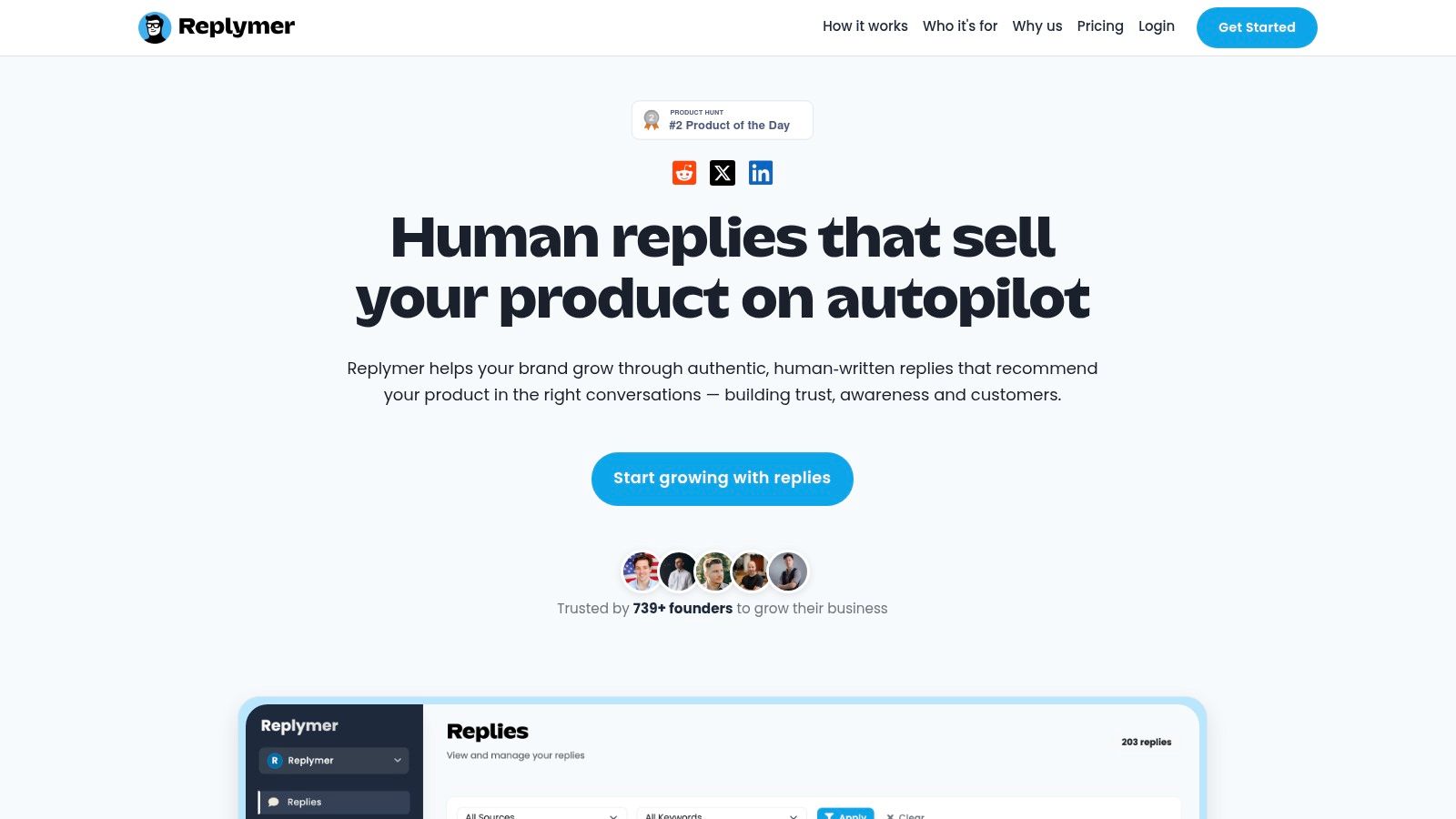
The core strength of Replymer lies in its human-centric approach. After a brief onboarding, the service handles everything from 24/7 keyword monitoring to filtering high-quality opportunities and crafting brand-aligned replies. These responses are posted from established, credible accounts, ensuring they feel like helpful contributions rather than spammy advertisements. This method builds trust and drives compounding demand, a stark contrast to the often-ignored notifications from automated tools. For a deeper dive into how this service compares, you can learn more about how Replymer stacks up against other tools on their blog.
Key Features & Benefits
- Human-Powered Engagement: Real writers craft authentic, context-aware replies, respecting community etiquette and avoiding the pitfalls of bot-driven outreach.
- Managed Filtering & Publishing: The service includes manual filtering to identify only the most relevant opportunities and publishes from established accounts to maximize credibility.
- Performance Dashboard: A dedicated dashboard tracks key metrics like mentions found, replies published, and performance by keyword, providing clear visibility into ROI.
- Scalable Service: Plans are designed to scale with your needs, making it suitable for early-stage startups and established marketing teams alike.
Who is it Best For?
Replymer is an ideal solution for SaaS startups, founders, and marketing teams focused on generating authentic demand. Its hands-off nature is perfect for those who lack the time or resources for constant social monitoring but understand the value of participating in relevant online conversations to build brand awareness and drive qualified leads.
| Feature | Details |
|---|---|
| Primary Use Case | Done-for-you social engagement and lead generation |
| Platforms Supported | Reddit, X (Twitter), LinkedIn |
| Pricing | Not publicly listed; contact for custom plans |
| Key Differentiator | Human writers and strategists handle the entire process from monitoring to publishing |
| Pros | High-quality, authentic engagement; saves significant time; clear ROI tracking |
| Cons | Requires contacting sales for pricing; service model requires trust in brand alignment and tone of voice. |
Website: https://replymer.com
2. HotMention — Best for Buyer-Intent Monitoring
HotMention turns keyword alerts into qualified leads. Instead of emailing you every match, it scores each mention from 0 to 100 for buyer intent across five dimensions, so the alerts you act on are the ones where someone is actually looking to buy. It covers six platforms — Reddit, X, LinkedIn, Threads, Quora and YouTube — from a single inbox.
Every mention comes with a Reply, Careful or Skip verdict, the reasoning behind it, and an AI draft reply in your brand voice that you post yourself. Alerts land in email, Slack or Telegram in real time, and HotMention flags when a competitor is named so you can respond first.
- Six platforms in one inbox: Reddit, X, LinkedIn, Threads, Quora, YouTube
- 0-100 buyer-intent scoring instead of raw keyword matching
- Reply / Careful / Skip verdicts with reasoning on every mention
- AI draft replies in your brand voice, ready to send
- Real-time delivery to email, Slack and Telegram, plus competitor detection
Pricing: Free tier (Reddit and X, 10 leads/month), then $29-$199/month as you add platforms and volume.
Best for: founders and agencies who want monitoring that ranks alerts by who is ready to buy, across six platforms. Try HotMention free →
3. Talkwalker Alerts
Talkwalker Alerts is arguably the most well-known free google alerts alternative, often praised for being what Google Alerts used to be: simple, effective, and reliable. It’s designed for users who need a straightforward "set-it-and-forget-it" monitoring tool without the complexity of a full analytics suite. The setup process is refreshingly easy; you can create an alert with just your email address, no full account required.
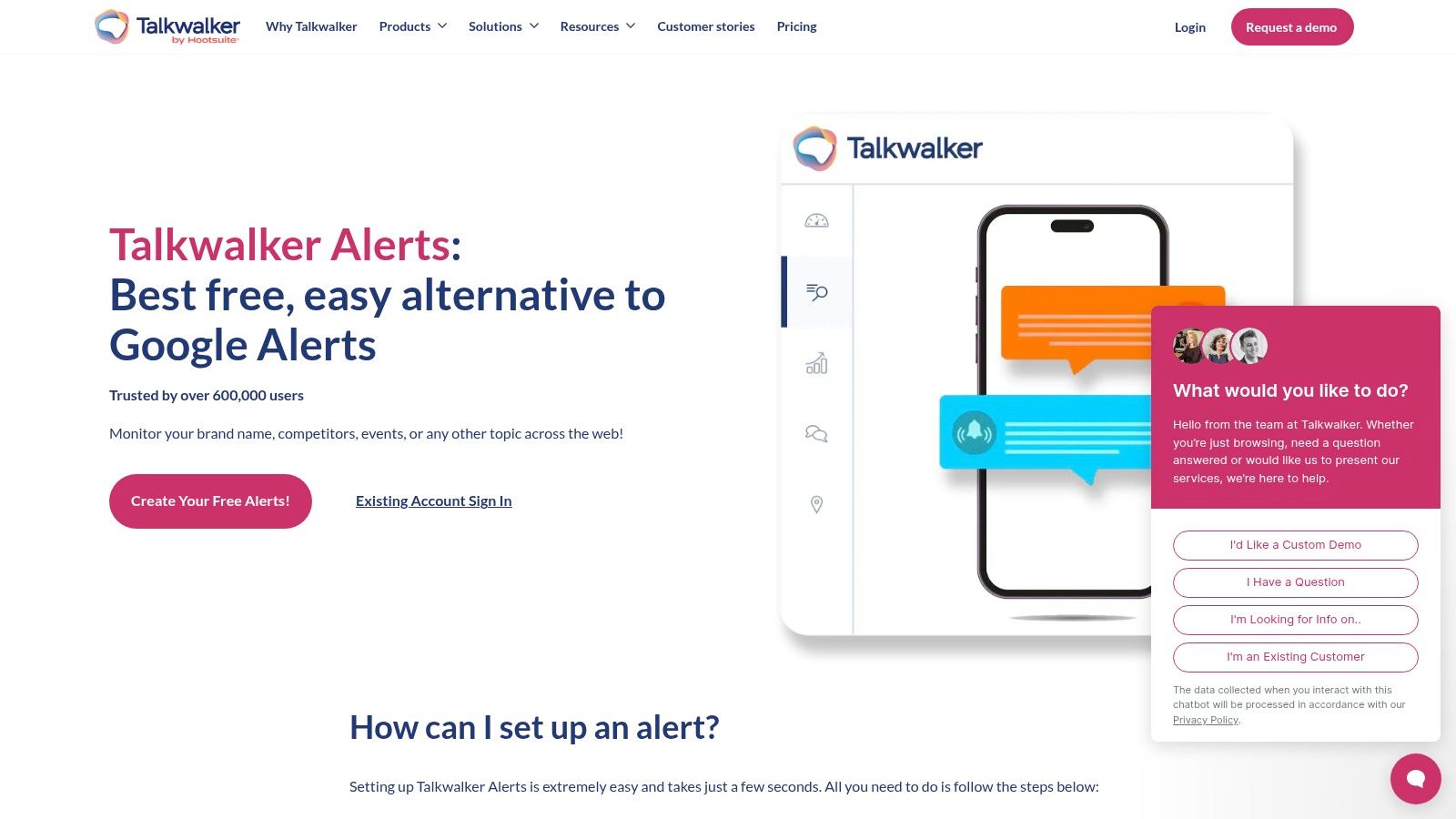
It stands out by including Twitter/X mentions alongside traditional news, blogs, and forums, a significant advantage over Google’s offering. Delivery is flexible, with options for email, RSS, or Slack integration. While it lacks the advanced dashboards of its paid counterparts, Talkwalker Alerts excels at its core function: delivering precise, relevant mentions directly to you.
Key Features & User Experience
| Feature | Details |
|---|---|
| Pricing | Completely Free. |
| Sources | News, Blogs, Discussion Forums, and Twitter/X. |
| Delivery | Email, RSS, Slack. |
| Precision | Supports Boolean operators for highly targeted keyword queries. |
- Best For: Individuals or small teams needing a no-cost, reliable upgrade from Google Alerts, especially for tracking social media chatter on Twitter/X.
- Pros: Entirely free, includes Twitter/X monitoring, supports Boolean logic, and requires no complex signup.
- Cons: No analytics, reporting, or historical data dashboards; it's purely an alerting tool.
Link: Talkwalker Alerts
4. Mention
Mention elevates brand monitoring from a simple alerting tool to a comprehensive media intelligence platform. It’s a powerful google alerts alternative for marketing and PR teams that require a unified view of their brand across the web and major social networks like TikTok, Reddit, and YouTube. Mention provides real-time tracking, allowing businesses to react instantly to conversations, manage their reputation, and identify key industry trends as they happen.
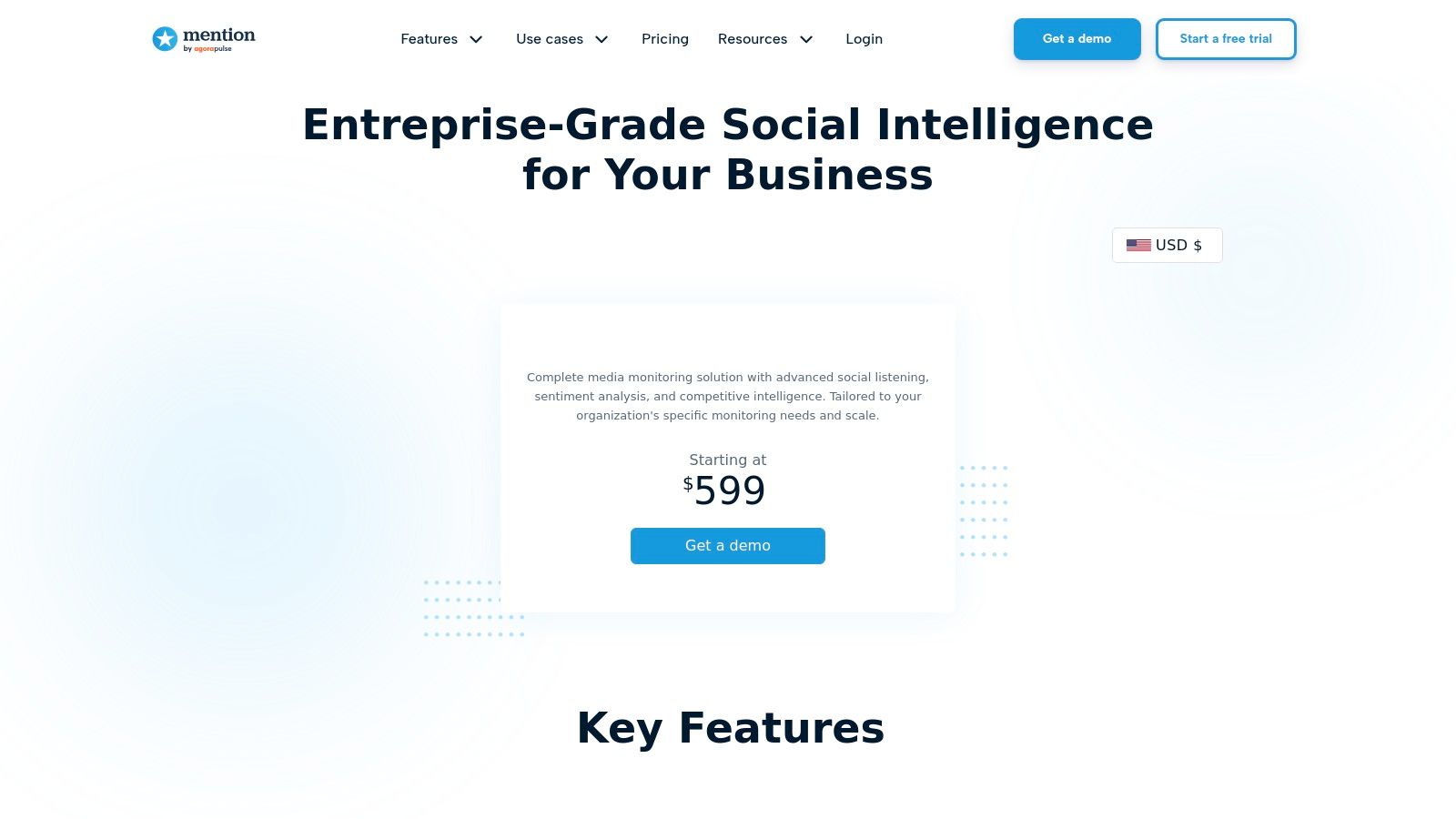
The platform stands out with its robust combination of broad source coverage and powerful filtering capabilities. Users can deploy advanced Boolean queries to zero in on the most relevant discussions, cutting through the noise. Its "Monitored Pages" feature is another unique selling point, enabling teams to track specific competitor or influencer social media profiles directly, a function far beyond the scope of traditional keyword alerts.
Key Features & User Experience
| Feature | Details |
|---|---|
| Pricing | Starts at $599/month (billed annually) for new customers on the Company plan. |
| Sources | Web, News, Forums, and major social networks including TikTok, Reddit, and YouTube. TV/Radio available. |
| Delivery | In-app dashboard, Email, Slack, Zapier, API integrations. |
| Precision | Supports advanced Boolean logic and rules for highly specific queries. |
- Best For: Established PR and marketing teams that need a unified platform for monitoring both web and social media mentions with advanced analytics and reporting.
- Pros: Excellent coverage across social and web sources, scales from self-serve to enterprise, and the "Monitored Pages" feature offers unique tracking capabilities.
- Cons: Higher entry-level pricing makes it less accessible for small businesses or individuals; legacy lower-cost plans are being retired.
Link: Mention
5. Brand24
Brand24 is a powerful and popular google alerts alternative that provides comprehensive brand monitoring with a strong focus on social listening and real-time data. It's designed for SMBs and agencies that need more than basic alerts, offering features like sentiment analysis and AI-driven spike detection to identify sudden changes in conversation volume. This makes it an excellent tool for managing brand reputation and tracking marketing campaign performance across a wide array of sources.
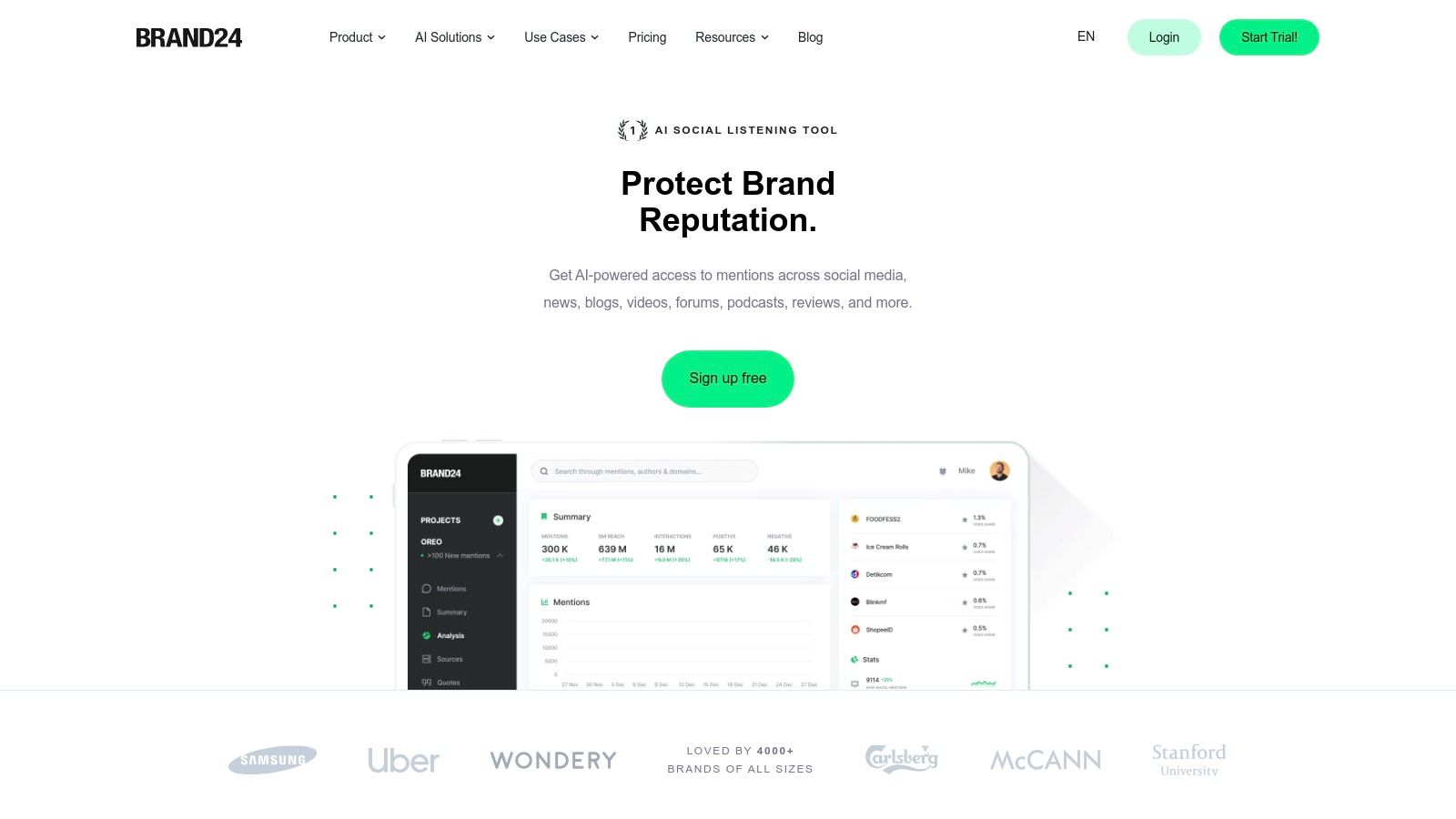
The platform presents mentions in a clean, interactive dashboard, making it easy to analyze trends and engage with conversations directly. While it is a paid tool, its tiered pricing provides a scalable path from basic monitoring to advanced analytics. For a deeper understanding of its capabilities, you can read our detailed Brand24 review. Its balance of robust features and accessible pricing makes it a go-to for growing teams.
Key Features & User Experience
| Feature | Details |
|---|---|
| Pricing | Starts at $79/mo. Tiers scale based on keywords and mentions. |
| Sources | Social Media (Facebook, Instagram, Twitter/X, TikTok, etc.), News, Blogs, Forums, Podcasts, and Reviews. |
| Delivery | In-app dashboard, Email/Slack notifications, Mobile app, and PDF reports. |
| Precision | Advanced filtering by source, author, sentiment, and influence score. |
- Best For: SMBs, marketing teams, and agencies needing real-time social listening, sentiment analysis, and performance tracking without an enterprise-level budget.
- Pros: Comprehensive social and web coverage, real-time alerts, AI-powered insights like sentiment analysis, and unlimited users on most plans.
- Cons: Entry-level plan has slower updates and lower mention limits; more advanced AI features are reserved for higher-priced tiers.
Link: Brand24
6. Awario
Awario positions itself as an affordable yet powerful social media and web monitoring tool, making it a strong google alerts alternative for small businesses and solo entrepreneurs. It strikes a balance between advanced features and an accessible price point, offering generous mention quotas and sophisticated search capabilities. Users can set up detailed queries with unlimited keywords and Boolean logic, allowing for precise tracking of brands, competitors, or industry-specific terms.
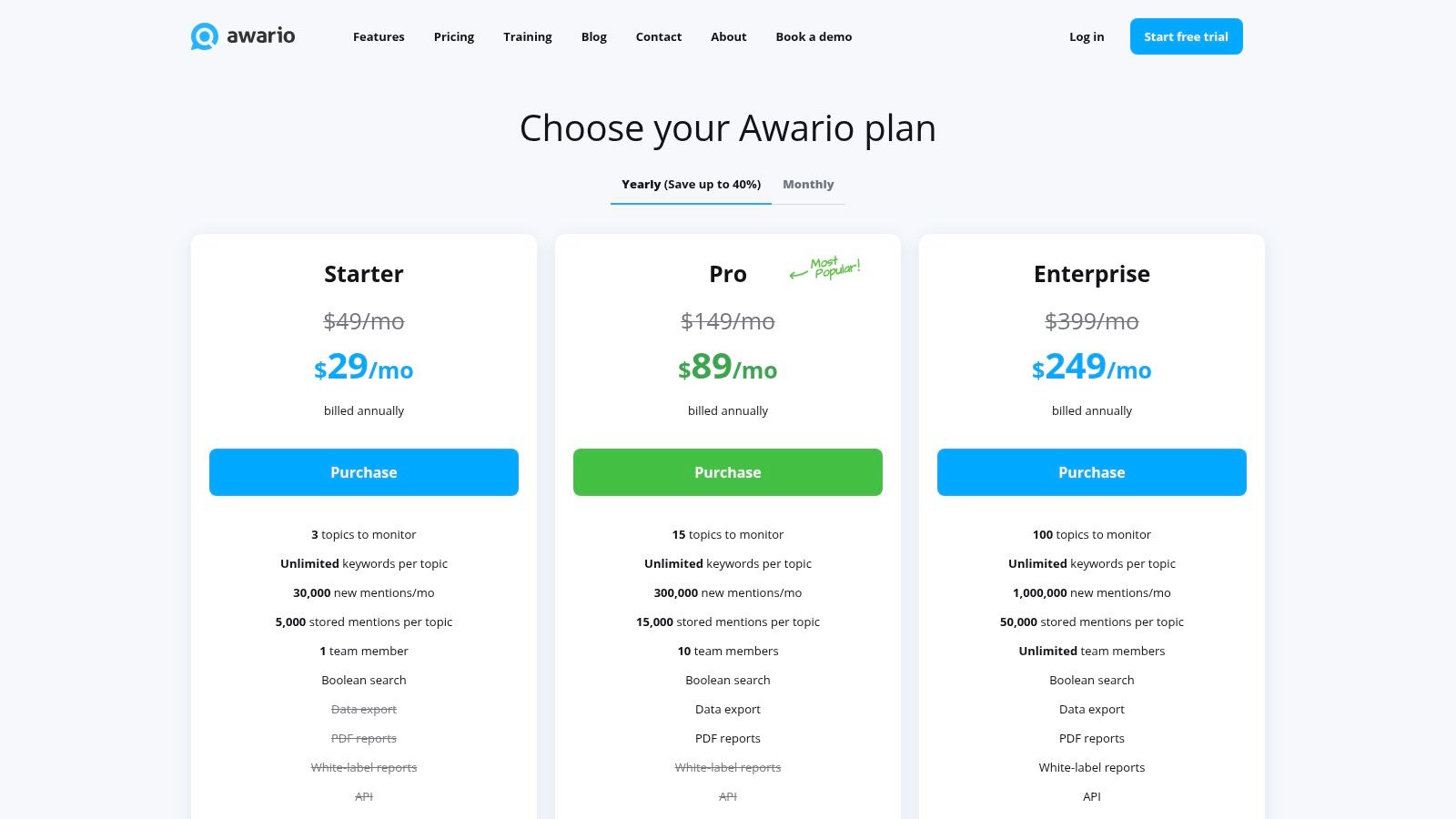
Unlike simpler free tools, Awario provides a dedicated dashboard with analytics on mention reach, sentiment, and top influencers. This makes it ideal for users who need to not only track mentions but also understand their impact. While advanced features like white-label reporting and data exports are reserved for higher-tier plans, its entry-level offering provides significant value for those needing more than basic alerts.
Key Features & User Experience
| Feature | Details |
|---|---|
| Pricing | Starts at $39/month (Starter) with Pro and Enterprise tiers. |
| Sources | Twitter/X, Facebook, Instagram, YouTube, Reddit, News, Blogs, Web. |
| Delivery | In-app dashboard, email digests, Slack notifications. |
| Precision | Unlimited keywords and Boolean search supported on all plans. |
- Best For: Solo professionals and small teams needing an affordable step-up from free tools to monitor competitors, industry trends, and brand sentiment with basic analytics.
- Pros: Low starting price with high mention limits, supports complex Boolean queries for precise tracking, and offers good value for small-scale monitoring.
- Cons: Key features like data exports and white-label reports are locked behind more expensive Pro and Enterprise plans.
Link: Awario
7. BuzzSumo
BuzzSumo is much more than a simple google alerts alternative; it's a powerful content marketing and PR platform where monitoring is deeply integrated with discovery and outreach. Its Monitoring module allows you to create alerts for keywords, brand mentions, author activity, and new backlinks. This makes it an invaluable tool for communications teams who need to not only track their earned media but also identify new opportunities and report on coverage.
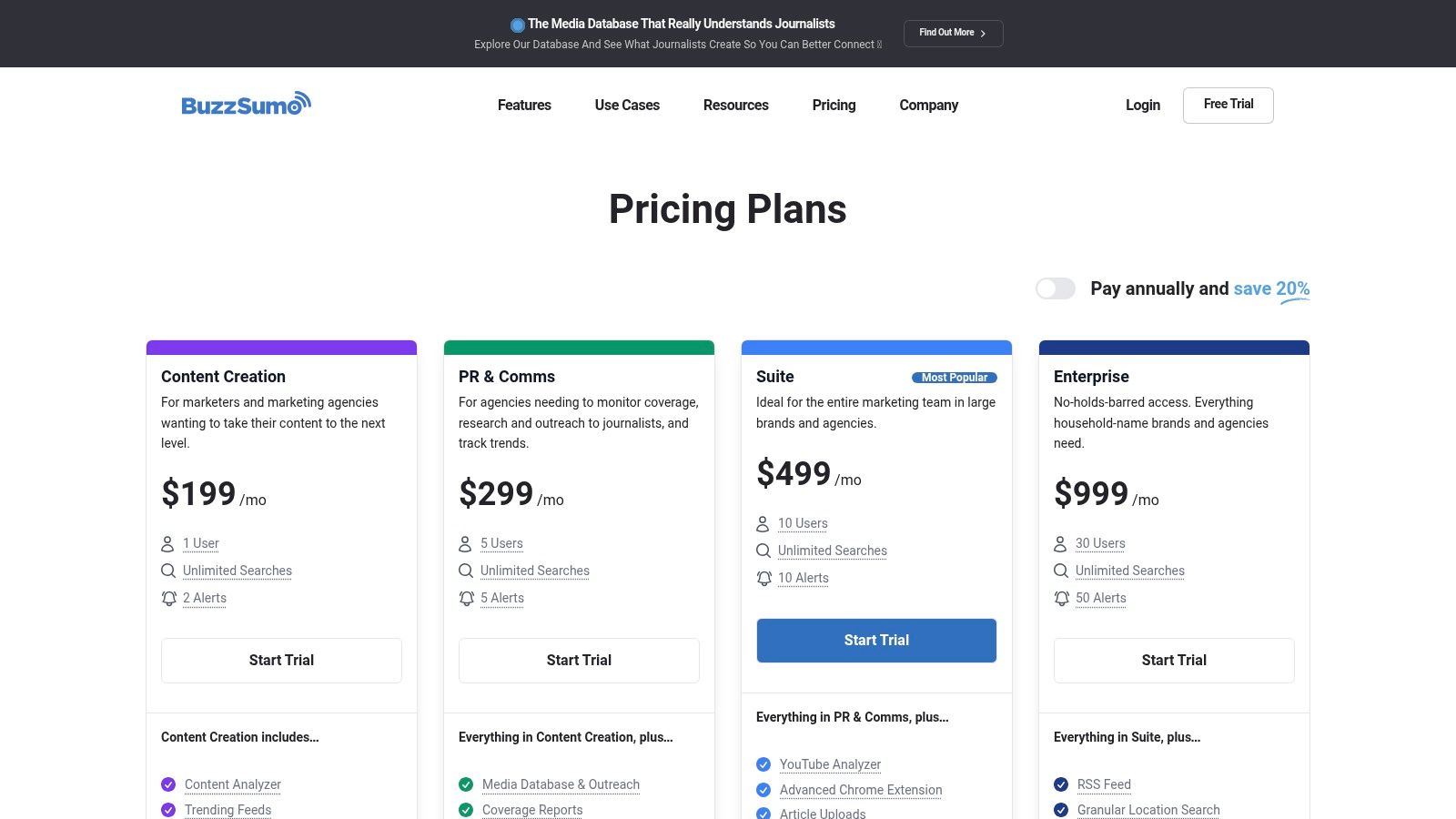
What sets BuzzSumo apart is how it connects alerting with actionable workflows. When an alert fires for a journalist mentioning your brand, you can immediately access their profile from the built-in media database to inform future outreach. The platform excels at streamlining the entire PR cycle, from monitoring mentions to discovering trending topics and generating comprehensive coverage reports, all in one place.
Key Features & User Experience
| Feature | Details |
|---|---|
| Pricing | Starts at $199/month (Content Creation plan with 2 alerts). |
| Sources | News, Blogs, Forums, and major social media platforms. |
| Delivery | In-app dashboard, Email, Slack integration. |
| Precision | Monitors keywords, domains, authors, and new backlinks. |
- Best For: Content and PR teams that need monitoring data to fuel outreach, content strategy, and earned media reporting.
- Pros: Integrates monitoring with a journalist database and content discovery tools, streamlines PR workflows with coverage reports, and offers simple onboarding.
- Cons: The entry-level plan is limited to only two alerts; extensive monitoring and PR features require more expensive tiers.
Link: BuzzSumo
8. Ahrefs Alerts
For teams already embedded in the Ahrefs ecosystem, Ahrefs Alerts is a powerful and convenient google alerts alternative that ties directly into their extensive SEO toolkit. Rather than being a standalone tool, it’s an integrated feature designed to merge media monitoring with crucial SEO signals. It excels at notifying users of new web mentions, new or lost backlinks, and changes in keyword rankings, making it invaluable for SEOs and content marketers.
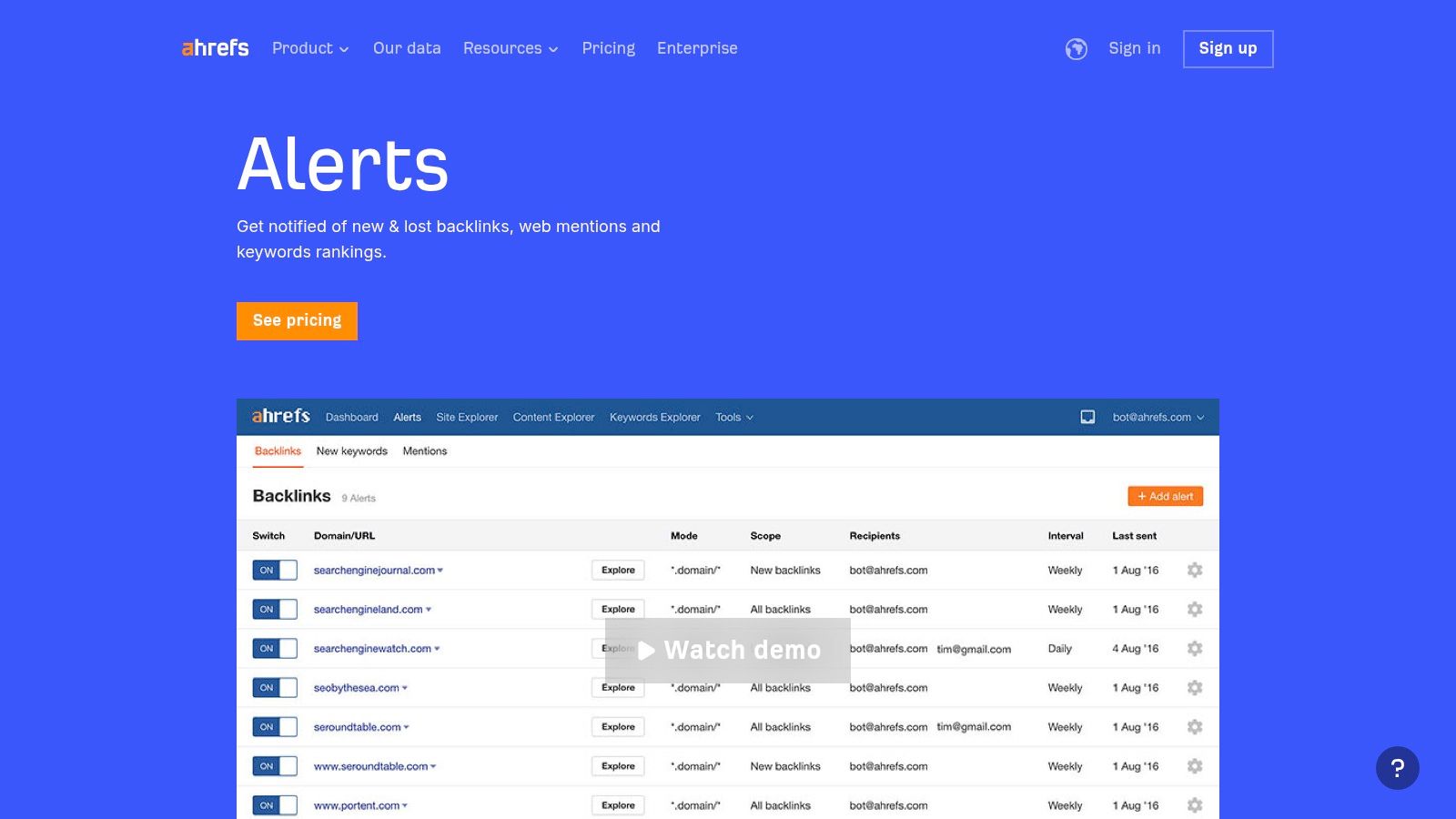
The primary advantage is workflow integration. You can identify an unlinked brand mention and immediately use Ahrefs' other tools to assess the domain's authority and reach out for a link. This synergy between PR-style monitoring and actionable SEO data is what sets it apart. Instead of just knowing you were mentioned, you get the context needed to turn that mention into a tangible SEO asset.
Key Features & User Experience
| Feature | Details |
|---|---|
| Pricing | Included with an Ahrefs subscription (starts at $99/month). Not available standalone. |
| Sources | Ahrefs' entire web index for web mentions, backlinks, and keyword rankings. |
| Delivery | Email notifications, in-app dashboard. |
| Precision | Advanced operators, language/domain filtering, and include/exclude rules for mention alerts. |
- Best For: SEO professionals and marketing teams who already use Ahrefs and want to consolidate their mention tracking and link-building workflows.
- Pros: Seamless integration with a top-tier SEO suite, combines web mentions with backlink and keyword data, and great for identifying unlinked mention opportunities.
- Cons: Only accessible with a paid Ahrefs plan; not a standalone or free tool for simple monitoring.
Link: Ahrefs Alerts
9. Semrush (Brand Monitoring & Media Monitoring apps)
For businesses already invested in the Semrush ecosystem, its Brand Monitoring and Media Monitoring apps offer a compelling google alerts alternative. Instead of adopting a separate platform, you can integrate monitoring directly into your existing SEO and marketing projects. This approach is ideal for teams who want to consolidate their tool stack and view brand mentions alongside their core marketing data. The apps provide essential alerting features, plus valuable context like sentiment analysis and estimated reach.
While powerful, these monitoring tools are add-ons, not standalone products, meaning you must have a core Semrush subscription first. The system works on an app-based quota that can be scaled with add-ons, allowing you to pay for the monitoring capacity you actually need. It’s a pragmatic solution for unifying your brand intelligence within a platform you already trust for other critical marketing functions.
Key Features & User Experience
| Feature | Details |
|---|---|
| Pricing | Paid Add-on. Requires a base Semrush plan (starting from $129.95/mo) plus app-specific fees. |
| Sources | Web, Forums, Twitter/X, Instagram, and other sources depending on the specific app. |
| Delivery | In-platform dashboard, Email alerts (for new mentions and traffic spikes). |
| Precision | Multi-language options and keyword tracking with standard Boolean operators. |
- Best For: Existing Semrush users who want to add brand and media monitoring capabilities without leaving the platform.
- Pros: Seamless integration with Semrush projects, clear per-app pricing with scalable add-ons, and useful sentiment and reach metrics.
- Cons: Not a standalone tool; requires an active (and often costly) Semrush subscription to access the apps.
Link: Semrush Brand Monitoring
10. Feedly (Market Intelligence / Leo)
Feedly transforms traditional content monitoring into a powerful market intelligence hub. While known primarily as an RSS reader, its Market Intelligence plans offer a sophisticated google alerts alternative by combining source and keyword tracking with an AI assistant named Leo. This setup allows users to create curated streams from news sites, blogs, newsletters, and specific queries, all in one place. Leo then works to deduplicate articles, summarize key points, and prioritize insights, saving significant time.
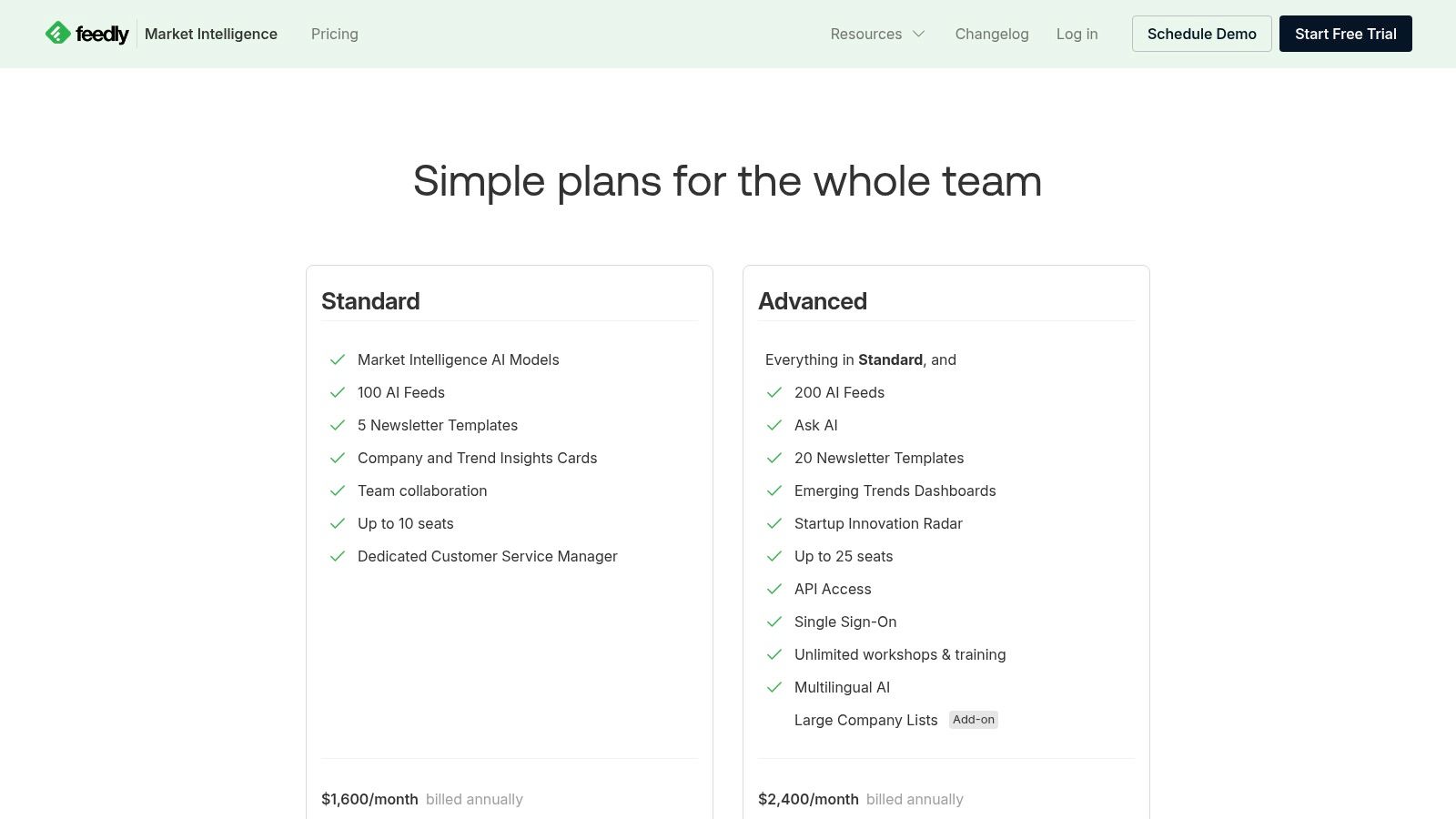
It excels at organizing vast amounts of information into actionable intelligence. Users can collaborate by sharing insights to team boards or automatically generating stakeholder newsletters, making it a great tool for keeping entire teams informed. This blend of aggregation and AI-powered curation makes Feedly ideal for in-depth industry and competitor tracking that goes beyond simple keyword alerts.
Key Features & User Experience
| Feature | Details |
|---|---|
| Pricing | Starts at $8.25/month (Pro plan); Market Intelligence plans from $75/month. |
| Sources | News, Blogs, Specific Websites (via RSS), Newsletters, Keyword Alerts. |
| Delivery | In-app Streams, Team Boards, Automated Newsletters, API. |
| Precision | AI assistant (Leo) for deduplication, summarization, and trend analysis. |
- Best For: Teams needing to centralize and analyze industry news, competitor activity, and keyword mentions in a collaborative intelligence platform.
- Pros: Combines source and query tracking in one feed, AI features reduce noise and summarize content, excellent for team collaboration and sharing.
- Cons: Becomes a paid tool for advanced alerting features; some users report occasional billing frustrations or inconsistent pricing.
Link: Feedly Market Intelligence
11. Visualping
Visualping offers a unique twist as a google alerts alternative by shifting focus from keyword mentions to website page changes. Instead of tracking when someone talks about you, it tracks when a specific webpage is updated. This is invaluable for monitoring competitor pricing pages, product availability, legal documents, or job postings. It works by taking a snapshot of a page and alerting you when any visual or code-based change is detected.
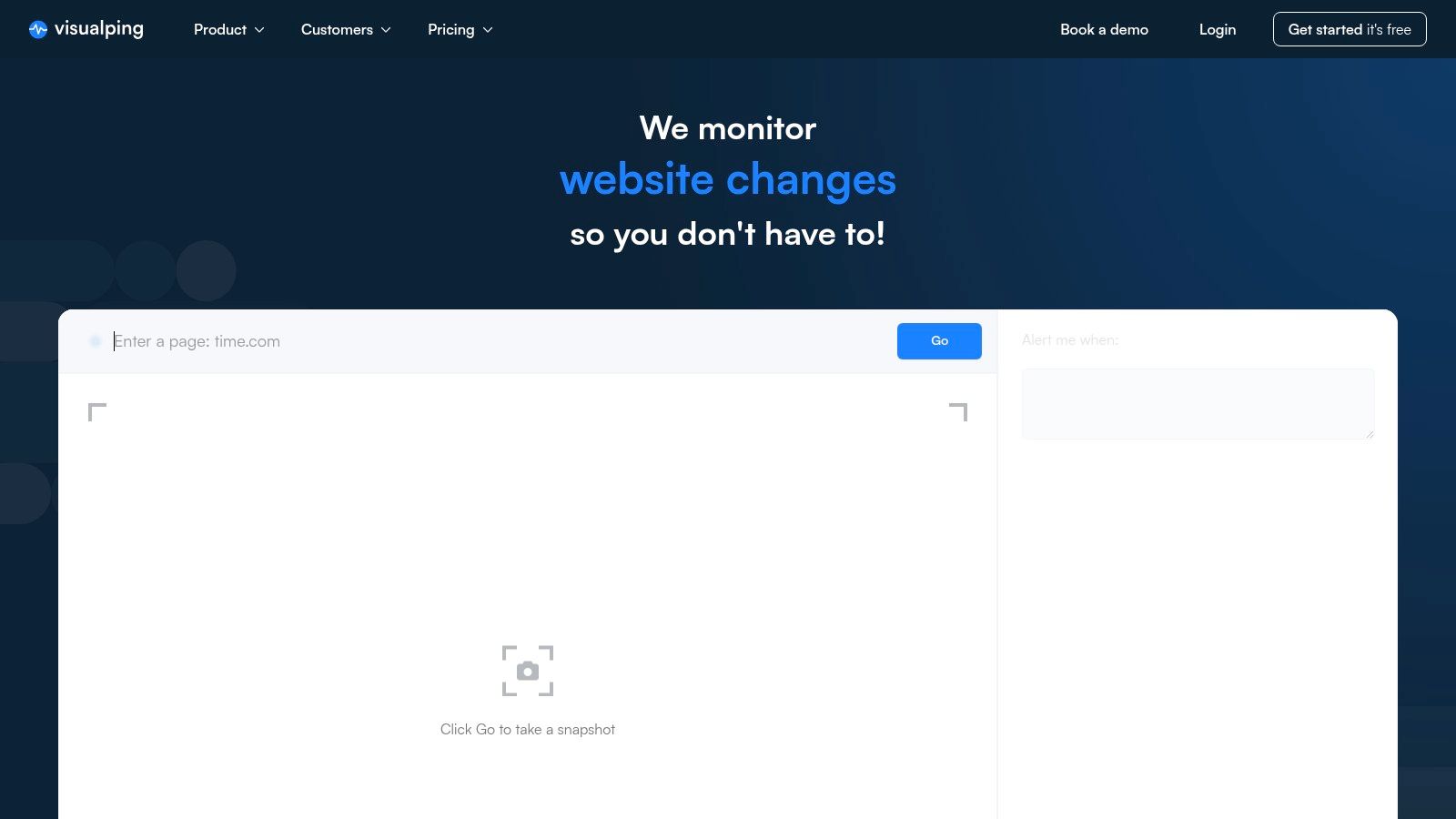
This tool excels where mention-based monitoring falls short. For instance, you can select just the price element on a competitor's product page and receive an alert the moment it changes. Its precision allows teams to react instantly to strategic updates that would otherwise go unnoticed. The setup is simple: just enter a URL, select the area to watch, and choose your notification preferences.
Key Features & User Experience
| Feature | Details |
|---|---|
| Pricing | Freemium. Starts with a free plan; paid plans offer higher frequency checks and more features. |
| Sources | Any public URL on the web. |
| Delivery | Email, Slack, Teams, Webhooks, API (on business tiers). |
| Precision | Monitors for visual, text, or HTML changes on a specific element or the entire page. |
- Best For: Teams needing to monitor specific competitor pages for changes in pricing, product specs, or terms and conditions, rather than general brand mentions.
- Pros: Ideal for MAP compliance, price tracking, and competitive intelligence; team features provide historical snapshots for audits; complements traditional mention tools perfectly.
- Cons: Official pricing tables can be difficult to locate on the site; pricing listed on third-party directories may vary.
Link: Visualping
12. Distill.io
Distill.io operates as a highly technical google alerts alternative, focusing on monitoring specific parts of any webpage for changes. Instead of tracking keywords across the web, it lets you select a visual element on a page, like a price, a competitor's feature list, or a job posting, and notifies you the instant it's updated. This granular control is ideal for tasks where precision is more important than broad keyword coverage, such as competitive intelligence or tracking regulatory updates.
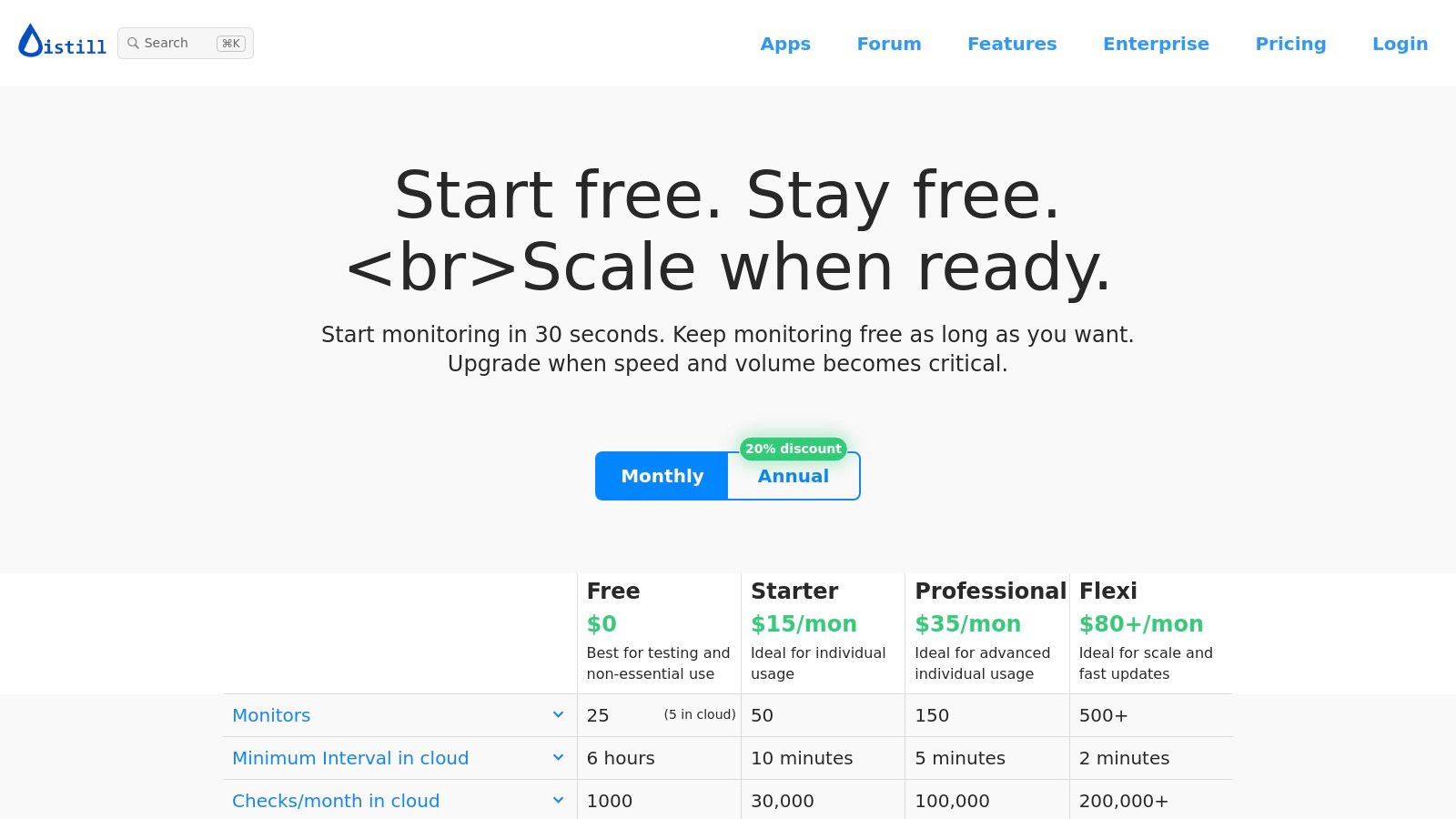
It achieves this through a powerful browser extension and cloud-based monitors. Users can set up macros to navigate through logins or complex site structures, making it one of the few tools that can reliably monitor content behind a paywall or login screen. While its interface is more utilitarian than stylish, its power lies in its deep customization for technical monitoring workflows.
Key Features & User Experience
| Feature | Details |
|---|---|
| Pricing | Free plan available. Paid plans start at $15/month. |
| Sources | Any specific part of any public or private webpage. |
| Delivery | Email, SMS, Push Notifications, Webhooks, Discord, Slack, and Telegram. |
| Precision | Visual selector, local/cloud monitors, and advanced condition settings. |
- Best For: Technical users, developers, and competitive intelligence analysts who need to monitor specific elements on authenticated or dynamic webpages.
- Pros: Extremely granular control, monitors pages behind logins, generous free tier, and offers a wide range of notification channels.
- Cons: The user interface can be complex and requires a learning curve; setting up advanced monitors for dynamic sites takes time.
Link: Distill.io
13. ChangeTower
ChangeTower offers a different angle on monitoring, making it a unique google alerts alternative focused on tracking specific web page changes rather than broad keyword mentions. Instead of monitoring the entire web for your brand name, you tell it which URLs to watch, and it alerts you when the content, HTML, or even a visual snapshot of the page changes. This is incredibly useful for competitive intelligence, such as tracking a competitor's pricing page, or for compliance and quality assurance purposes.
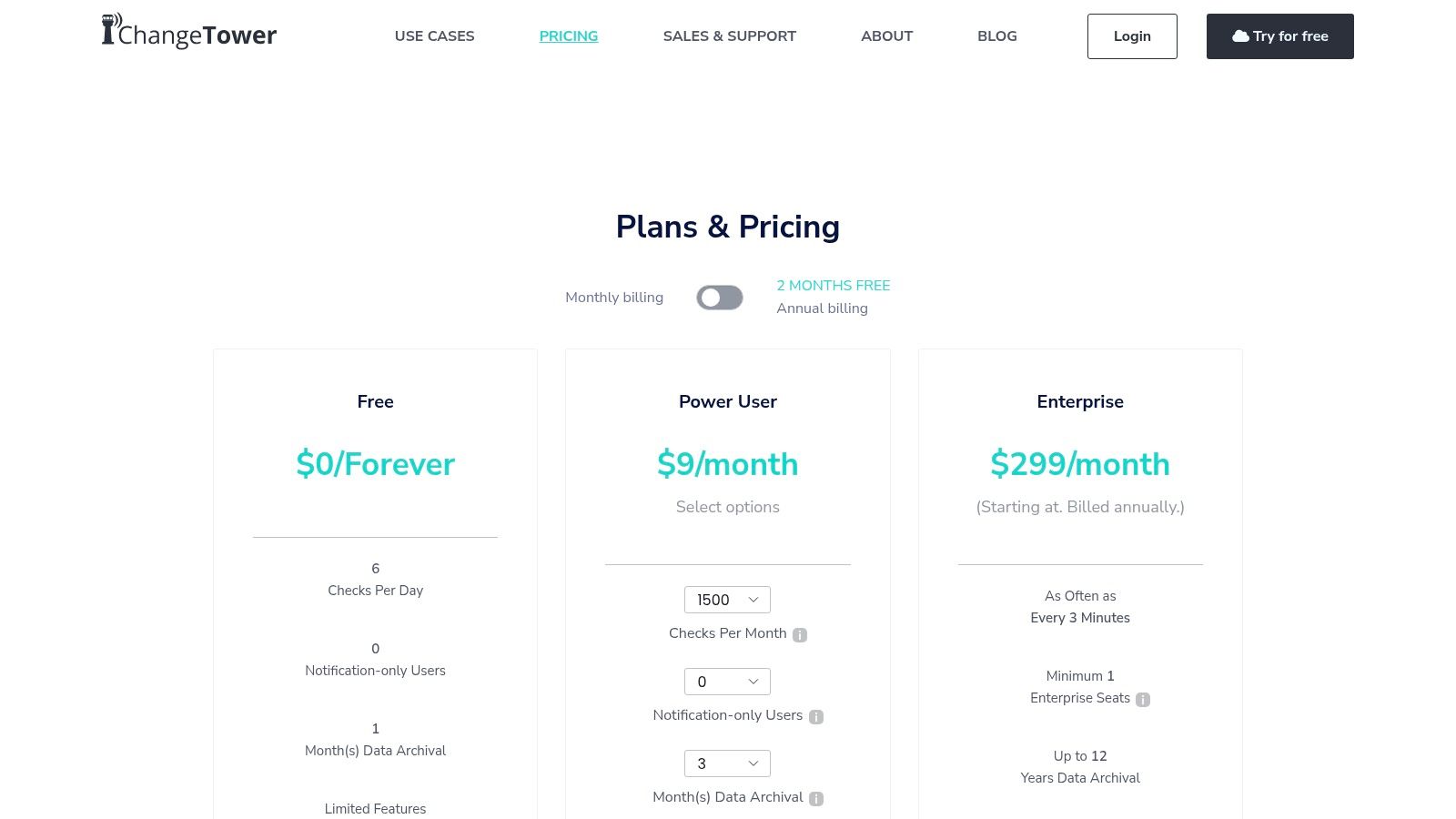
Its strength lies in its precision and archival capabilities. You can set highly specific triggers, like a change in a particular keyword or HTML element, and it keeps a historical record of snapshots for review. The no-code setup and clean user interface make it accessible for non-technical users who need to monitor critical web pages without digging into the source code themselves.
Key Features & User Experience
| Feature | Details |
|---|---|
| Pricing | Freemium. Free plan includes 3 URLs with up to 6 checks/day total. Paid plans start from $15/month for more frequent checks and features. |
| Sources | Specific URLs you provide. Monitors visual, content, and HTML changes, including PDF and text files. |
| Delivery | Email, Slack, Zapier, Webhooks, and more. |
| Precision | Highly targeted notifications for visual, keyword, or code-level changes on designated pages. |
- Best For: Teams needing to monitor competitor pricing, product updates, or ensure regulatory compliance on specific web pages.
- Pros: Excellent for precise page-level change detection, clean user experience, and provides historical snapshots for archival purposes.
- Cons: Not a brand or keyword monitoring tool for the open web; the free tier is very limited in check frequency and number of pages.
Link: ChangeTower
Google Alerts Alternatives — 12-Tool Comparison
| Tool | Core features | Quality (★) | Price/value (💰) | Target (👥) | Unique (✨) |
|---|---|---|---|---|---|
| Replymer 🏆 | Human-written replies; 24/7 keyword monitoring; dashboard; multi-network publishing | ★★★★★ | 💰 Scalable plans — contact for pricing | 👥 SaaS founders, growth/marketing teams, agencies | ✨ Real writers + publishing from credible accounts; authentic, community-aware outreach |
| Talkwalker Alerts | Source filters (News, Blogs, Discussions, X); email/RSS/Slack delivery | ★★★☆☆ | 💰 Free | 👥 Individuals, basic monitoring users | ✨ Fast, set‑and‑forget alerts with X/Twitter coverage |
| Mention | Real-time web & social tracking; Boolean rules; integrations (Slack, Zapier, API) | ★★★★☆ | 💰 Mid–high (new plans start ~$599/mo) | 👥 PR & marketing teams, enterprises | ✨ Broad social + web coverage; Monitored Pages for profile tracking |
| Brand24 | Web & social mentions; sentiment; AI event/spike detection; real-time alerts | ★★★★☆ | 💰 SMB-friendly tiered pricing | 👥 SMBs, agencies | ✨ AI spike detection and clear quota tiers |
| Awario | Unlimited keywords per topic; Boolean; exports & white‑label reporting | ★★★★☆ | 💰 Low starting price; good ROI for small teams | 👥 Solo pros, small teams, competitor researchers | ✨ Generous mention limits and white‑label reports |
| BuzzSumo | Mentions, backlinks, trending discovery; journalist/media DB (higher tiers) | ★★★★☆ | 💰 Mid (limited alerts on entry plan) | 👥 PR, content & comms teams | ✨ Media database + PR coverage reports |
| Ahrefs Alerts | Mention alerts, new/lost backlink notifications, ranking alerts | ★★★★☆ | 💰 Included with Ahrefs subscription | 👥 SEO & link‑building teams | ✨ Combines mentions with backlink & rank signals |
| Semrush (Monitoring apps) | Brand & media monitoring apps; sentiment & reach metrics; spike detection | ★★★★☆ | 💰 App add‑ons to Semrush (separate cost) | 👥 Existing Semrush users, agencies | ✨ Seamless integration with Semrush projects & reporting |
| Feedly (Market Intelligence / Leo) | RSS-style streams; AI dedupe & summaries (Leo); boards/newsletters | ★★★★☆ | 💰 Variable (personal → enterprise) | 👥 Researchers, market intelligence teams | ✨ AI assistant (Leo) for summaries & deduplication |
| Visualping | Visual/HTML diffs; element-level selection; frequent checks; snapshots | ★★★★☆ | 💰 Freemium—paid for higher frequency & volume | 👥 Product, ops & pricing teams | ✨ Visual diffs and element-level monitoring for page changes |
| Distill.io | Cloud/local monitors, visual selectors, macros, webhooks & notifications | ★★★★☆ | 💰 Freemium with generous free tier | 👥 Technical users, automation teams | ✨ Macros/authenticated flows and high-frequency local checks |
| ChangeTower | Visual, content & HTML monitoring; PDF/text monitoring; archival history | ★★★★☆ | 💰 Freemium (limited); paid for frequent checks & retention | 👥 Compliance, product QA, legal teams | ✨ No-code setup with archival snapshots for audits |
Final Thoughts
Navigating the landscape of brand monitoring and social listening has evolved far beyond the basic functionality offered by Google Alerts. As we've explored, the right google alerts alternative depends entirely on your specific goals, budget, and the scale of your operations. The market is rich with options, from powerful, free services like Talkwalker Alerts to comprehensive, enterprise-level suites like Semrush and Mention.
The journey from simple keyword tracking to strategic market intelligence is a significant one. While Google Alerts can flag explicit mentions, it often misses the nuanced conversations happening on platforms like Reddit, LinkedIn, or in niche forums where your ideal customers are actively seeking solutions. This is the critical gap that specialized tools are designed to fill.
Key Takeaways for Choosing Your Tool
To make the best decision for your team, reflect on the core insights from our analysis. Moving beyond a basic free tool requires a clear understanding of the return on investment you expect.
- Define Your "Why": Are you focused on brand reputation management (Brand24, Mention), competitive analysis (Ahrefs, Semrush), content ideation (BuzzSumo), or proactive customer engagement (Replymer)? Your primary objective will immediately narrow down the list.
- Source Specialization Matters: Not all tools are created equal when it comes to data sources. If your audience is highly active on social media, platforms with strong Reddit and X (formerly Twitter) integrations are essential. For B2B, LinkedIn and news media monitoring might take priority.
- Consider Your Workflow: The best tool is one that integrates seamlessly into your existing processes. Evaluate how you will act on the alerts. Do you need sentiment analysis for reporting, or real-time notifications pushed to Slack for immediate action by your sales or community team?
- Balance Power with Usability: A tool packed with features is useless if it's too complex for your team to use effectively. Start with a free trial whenever possible to test the user interface and ensure the learning curve aligns with your resources.
Your Actionable Next Steps
Selecting your ideal google alerts alternative is the first step; implementation is where the real value is unlocked. Once you’ve trialed a few options and made your choice, focus on creating a structured process. Assign clear ownership for monitoring the alerts and establish guidelines for when and how to engage with conversations.
Start with a narrow focus. Instead of tracking dozens of broad keywords, begin with your brand name, key product features, and your top two competitors. As you get comfortable with the tool's capabilities and your team's workflow, you can expand your queries to include industry pain points and "looking for" keywords. This methodical approach prevents overwhelm and ensures you are acting on the most valuable insights first.
Ultimately, the goal is to transform monitoring from a passive, informational activity into a proactive, strategic function that drives tangible business results. Whether it's protecting your brand’s reputation, uncovering new content opportunities, or generating qualified leads, the right tool will empower you to listen, learn, and engage in the conversations that truly matter.
Ready to stop just monitoring and start engaging? If your goal is to find and convert leads by joining relevant conversations on social media, Replymer is the google alerts alternative built for you. Skip the noise and get highly-qualified, real-time alerts delivered straight to your inbox or Slack. Try Replymer for free and see how targeted social listening can transform your demand generation.


